1
Warning / Caution
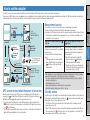
GPS (Global Positioning System) is a system to identify the current position on the earth by
receiving highly precise positional information sent from a satellite.
Receiving the GPS signal
Cautions in use
• Charging, discharging and storing at high temperature will damage the battery. Do not
leave the battery in a car or near a heater.
• When the lighting time decreases significantly even though it is charged correctly, the
rechargeable battery has reached the end of its usable life due to deterioration. For details,
see “How to replace the battery / How to dispose the computer” (page 27).
Cautions on storage
Do not store the Li-Ion battery after a full charge. Cool and dry storage is recommended.
For a long period storage, it is important to charge the battery 10 minutes every 6 months.
Cautions for dispose
Remove the rechargeable battery inside, before disposing the computer. For information on
how to replace and dispose the battery, see “How to dispose the computer” (page 27).
Others
GPS signal may not be received, thus the unit may stop measurement or may not display
appropriate measurements in the following locations or environments.
• In a tunnel, underground and building, between high-rise buildings, under an elevated
structure and arcade, etc.
• In bad weather (snow, rain, etc.)
• Near a high-voltage line or a mobile telephone relay station.
• When the computer display does not face to the sky.
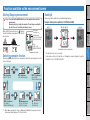
• Charge the battery at ambient temperature between 41°F to 104°F (5°C to 40°C).
• Be sure to unplug the USB plug after charging is completed.
• Clean the USB plugs before charging.
• Do not apply vibration during charging.
• When the connected PC is in sleep state, the battery cannot be charged.
Changing the
computer configuration
Where the GPS signal cannot be received
Cautions on recharging
Uploading the measurement data
• It may take several minutes to acquire the GPS signal after turning on the computer.
• While searching the GPS signal, we recommend that you do not move around until receiving the GPS signal. It may take more time to receive the GPS signal if you move around
while searching the GPS signal.
• Receiving the GPS signal becomes easier under such conditions that the sky is open and
the prospect for the satellites is good.
Each battery has a rate of self-discharge and the voltage of the battery may drop during long
period of storage.
Always fully charge the battery before use.
Setup of your
PC
GPS
Recharge the battery for first time use or after long period of storage
How to use the
computer
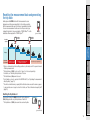
Press and hold the MODE button to reset the computer before and after measurement.
Measuring starts by resetting the computer. The unit keeps recording the trip until it is
reset. Turn off the unit when not in use.
Follow these instructions to maximize the lithium-ion battery performance.
Setting up the
computer
Cautions when measuring
Battery
How to install the
unit on your bicycle
• Do not concentrate on the computer while riding. Ride safely!
• Mount firmly the bracket on your bicycle, and check periodically that it is not loosened.
• Do not leave the computer in direct sunlight for a long period of time.
• Do not disassemble the computer.
• Do not drop the computer to avoid malfunction or damage.
• Be sure to tighten the dial of the FlexTight™ bracket by hand. Tightening it strongly using a
tool, etc. may damage the screw thread.
• When cleaning the computer and bracket, do not use thinners, benzene, or alcohol.
• LCD screen may be distorted when viewed through polarized sunglass lenses.
*The measuring result may differ slightly from the actual value, since this unit calculates the
speed from GPS signal.
Introduction
Proper use of the CatEye STEALTH 10
2