1
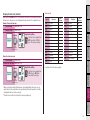
Setting items
Description
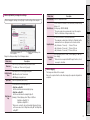
Tire circumference This is not used with this unit.
How to install the
unit on your bicycle
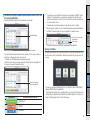
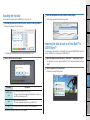
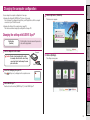
Before changing the settings, click on [Read] to load the settings of the computer.
Introduction
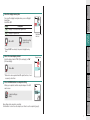
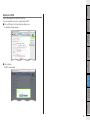
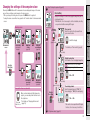
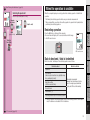
6 Click on [STEALTH] to change the settings.
Read the current settings of the
computer.
Change the settings according to the following procedure.
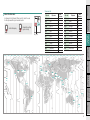
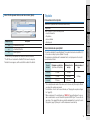
Time zone
Description
Select the city code nearest from your current location.
*For details, see “Time zone list” (page 6).
Speed unit
7 Click on [Apply].
The changes are reflected to the computer.
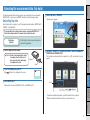
Remove the computer from the cradle. Now, changing the computer configuration is
completed.
Uploading the measurement data
Select whether to use the daylight saving time.
Daylight saving
• On : Moves the clock 1 hour ahead.
time
• Off : Displays in regular clock.
Clock display
format
Select the display format of “12h” (12 hours display) or “24h” (24
hours display).
*Date and clock are acquired from GPS signal; therefore, it is not
necessary to enter them.
Setup of your
PC
Setting items
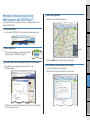
Set the record interval of the measurement data.
*The maximum recording time (total time of all trip data) and the
maximum time for one trip depend on the interval selected.
Sampling interval
• 1s (at intervals of 1 second) : 35 hours / 12 hours
• 2s (at intervals of 2 seconds): 70 hours / 24 hours
• 5s (at intervals of 5 seconds): 175 hours / 60 hours
How to use the
computer
Delete the data recorded
in the computer.
Setting up the
computer
You can enter the start value of the total distance, and add the trip
distance to it.
Total distance (Setting range : 00000 to 99999)
*This can be used when you renew and/or reset the computer.
*Enter the total distance in integer number only.
Select the speed unit (km/h or m/h).
Changing the
computer configuration
Set the time when the backlight lights up.
• Night-time setting ON :
Enter the start time when the backlight lights up.
• Night-time setting OFF :
Enter the end time when the backlight lights off.
Night-time set(Example) When lighting up from 7:00 pm to 6:00 am
ting
Night-time setting ON : 19
Night-time setting OFF : 6
*When you do not want to turn on the backlight throughout the day,
set the same value for both “Night-time setting ON” and “Night-time
setting OFF”.
Others
21