1
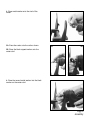
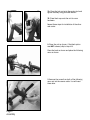
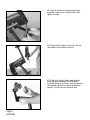
Shadow Tray Adjustment
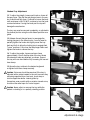
16.
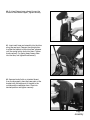
16. To adjust the tray height, loosen both knobs on the
back of the unit and set to desired position. Tighten
knobs securely.
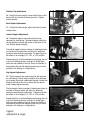
Back Option Adjustment
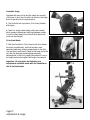
17. To adjust the back angle, adjust the knob to the desired position.
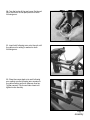
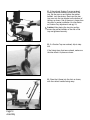
Lateral Support Adjustment
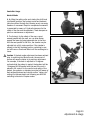
18. The lateral supports are optional and can be
removed for transferring. The lateral support width can
be adjusted by loosening the knobs on the back of the
unit. Always tighten securely.
17.
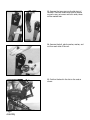
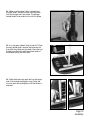
The lateral supports have a number of attachment holes
on the back of the pad which will allow for additional
positions vertically and horizontally. The pads may also
be bolted on at a straight, 90º, 180º, or 270º position.
Please check for fit and interference by bringing the unit
to the full standing position and back to sitting again
without a user seated in the unit. Due to the variety of
adjustments that can be made the pads may not work
properly in all settings or configurations.
18.
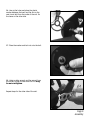
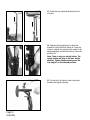
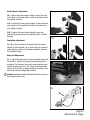
Hip Support Adjustment
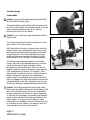
19. The hip supports are optional and can be removed
for transferring. The hip support width can be adjusted
by loosening the knobs underneath the seat. Loosen the
knob on the side of the unit to adjust the hip support
width. Always tighten securely.
The hip supports have a number of attachment holes on
the back of the pad which will allow for additional
positions vertically and horizontally. The pads may also
be bolted on at a straight, 90º, 180º, or 270º position.
Please check for fit and interference by bringing the unit
to the full standing position and back to sitting again
without a user seated in the unit. Due to the variety of
adjustments that can be made the pads may not work
properly in all settings or configurations.
Page 23
Adjustments & Usage
19.