1
18
Printer Setup
Select a Site for the Printer
Select a Site for the Printer
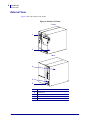
Consider the following when selecting an appropriate location for your printer.
Select a Surface
Select a solid, level surface of sufficient size and strength to accommodate the printer and
other equipment (such as a computer), if necessary. The choices include a table, countertop,
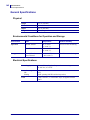
desk, or cart. For the printer’s weight and dimensions, see General Specifications on page 142.
Provide Proper Operating Conditions
This printer is designed to function in a wide range of environmental and electrical conditions,
including a warehouse or factory floor. For more information on the required conditions, see
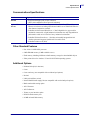
General Specifications on page 142.
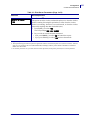
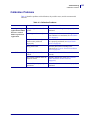
Table 4 shows the temperature and relative humidity requirements for the printer when it is
operating.
Table 4 • Operating Temperature and Humidity
Mode
Temperature
Relative Humidity
Thermal Transfer
41° to 104°F (5° to 40°C)
20 to 85% non-condensing
Direct Thermal
32° to 104°F (0° to 40°C)
20 to 85% non-condensing
Allow Proper Space
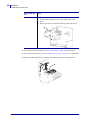
The printer should have enough space around it for you to be able to open the media door. To
allow for proper ventilation and cooling, leave open space on all sides of the printer.
Caution • Do not place any padding or cushioning material behind or under the printer
because this restricts air flow and could cause the printer to overheat.
Provide a Data Source
If the printer will be located away from the data source, the selected site must provide the
appropriate connections to that data source. For more information on the types of
communication interfaces and their limitations, see Select a Communication Interface
on page 19.
Provide a Power Source
Place the printer within a short distance of a power outlet that is easily accessible.
11342L-001 Rev. A
105SL User Guide
6/30/06