1
Connecting with the 275 HART Communicator or 375 Field Communicator continued
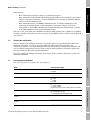
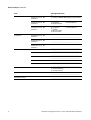
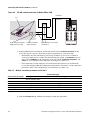
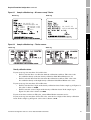
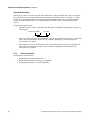
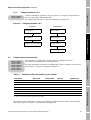
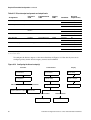
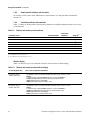
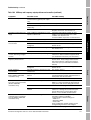
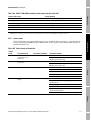
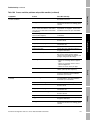
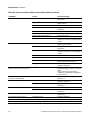
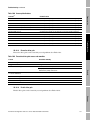
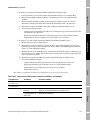
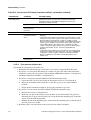
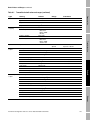
Table 4-1
Communicator models, device descriptions, and transmitter support
275 HART Communicator
Transmitter
Device description
Model 1500 AN
Not available
Model 1700 AN
1000 Mass Flow
Model 1700 IS
1000I Mass Flow
(1)
Support
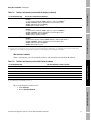
375 Field Communicator
Device description
Support
1500 Mass Flow
Full
Full
1000 Mass Flow
Full
Full
1000I Mass Flow
Full
Full
Model 2500 CIO
2000C Mass Flow
Partial
2000C Mass Flow
Model 2700 AN
2000 Mass Flow
Full
2000 Mass Flow
Full
Model 2700 IS
2000I Mass Flow
Full
2000I Mass Flow
Full
Model 2700 CIO
2000C Mass Flow
Full
2000C Mass Flow
Full
(1) See Section 4.2.2 for information on using the 275 HART Communicator with this transmitter.
4.2.1
Viewing the device descriptions
HART Communicator 275
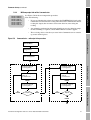
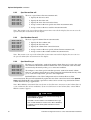
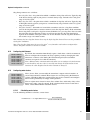
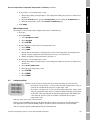
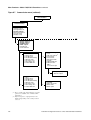
To view the device descriptions that are installed on your 275 HART Communicator:
1. Turn on the HART Communicator, but do not connect it to the transmitter.
2. When the words No device found appear, press OK.
3. Select OFFLINE.
4. Select New Configuration.
5. Select Micro Motion.
375 Field Communicator
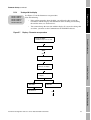
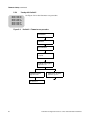
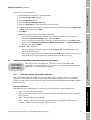
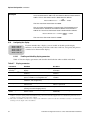
To view the device descriptions that are installed on your 375 Field Communicator:
1. At the HART application menu, select Utility.
2. Select Available Device Descriptions.
3. Select Micro Motion.
4.2.2
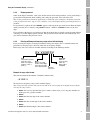
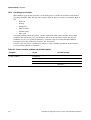
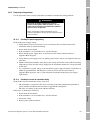
Using the 275 HART Communicator with the Model 2500
• Model 2500 CIO
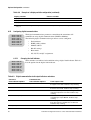
To use the 275 HART Communicator with the Model 2500 transmitter:
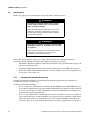
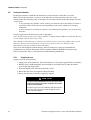
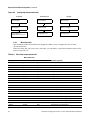
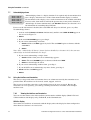
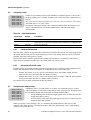
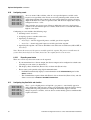
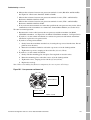
1. Turn on the HART Communicator and connect it to the transmitter. The
following warning message is displayed:
HART Communicator
Notice: Upgrade 275
Software to access
new Xmtr functions.
Continue with old
description?
2. Press Yes to continue using the 275 HART Communicator. Do not upgrade the 275 HART
Communicator.
24
Transmitter Configuration and Use: Series 1000 and 2000 Transmitters