1
Function 5: Voice mail programming
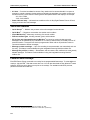
Code
#
F
P
IVX C-Class Administrator’s Manual
What it produces
# DTMF tone
DTMF tone
Flash hook
2-second pause
To insert a special code, press the right scroll key () to select the desired special code: # , ,
F or P. Press # to confirm the inserted character and continue. Press # # to complete the entry.
Use the left scroll key () to backspace.
Once the number is saved you can use the scroll keys to move back and forth to view the
number. To edit the number, you must delete it and enter the correct number.
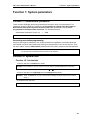
Function 552: Delivery/paging parameters
The sequence of programming is as follows:
1. CO line access — Enter the CO line group (9, 8, or 7) that is to be accessed for delivery.
Default: 9.
2. Maximum lines — Enter the maximum number of lines (in the selected CO line group) that the
system can access simultaneously. Make enough lines available to accommodate high
notification traffic (but be careful: if you make available all lines in the selected line group and
high notification traffic occurs, the system could tie up all lines).
Range: 1–19. Default: 1.
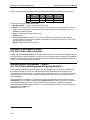
3. Pager dialing pause — When paging, IVX C-Class will send the mailbox number to be shown
in the pager’s display. To allow time for the paging service to answer, enter the pause, in
seconds, to occur between when IVX C-Class dials the pager number and when it then dials the
mailbox number.
Range: 0–20. Default: 6.
D.4