1
Troubleshooting
DESREVERNOISREVETIHW
I cannot connect to a wireless network.
I do not know which email setup option to choose in the Setup Wizard.
Try performing one of the following actions:
a) Verify that your SIM card is inserted correctly.
b) Verify that you have turned on the connection to the wireless network.
c) If you were traveling and you selected a network manually, your BlackBerry® 8800 should remain connected to that network until you select your home network again.
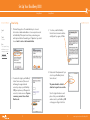
1. Select the I want to add or create an email address option if the other options do not
apply to you. This option is the most common option for individual users. If you select
this option, an email setup web site opens. On the web site, you can create a new email
address for your BlackBerry 8800 or associate your device with an existing
supported email address.
I cannot associate my BlackBerry 8800 with an email address.
Try performing the following actions:
a) On the email setup web site, verify that you have typed all the email address
information correctly.
b) Log in to the email setup web site and add a supported email address to your
BlackBerry 8800 using a browser on your computer. To log in to the email setup web
site, type the email setup web site address provided by your wireless service provider
in a browser on your computer. If you have already created a login ID and password,
use this information to log in. If you have not created a login user ID and password,
click Create New Account and complete the instructions on the screen.
c) Verify that the email address is associated with a supported email account (for
example, a POP3 or IMAP account). If you cannot add the email address using a
browser on your BlackBerry 8800 or your computer, contact your wireless service
provider for more information on supported email accounts.
42
^ white (reversed)
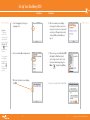
2. Select the I want to use a work email account with a BlackBerry Enterprise Server option
if a BlackBerry® Enterprise Server system administrator has provided you with a password
that you can use to activate your BlackBerry 8800 over the wireless network. If you select
this option, an Enterprise Activation screen appears. On this screen, you can type your
work email address and the password provided by your system administrator to activate
your BlackBerry 8800.
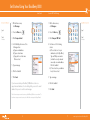
3. Select Skip email setup if any of the following situations apply:
a) A representative from the store where you purchased your BlackBerry 8800 has already helped you to set up your email address.
b) You have already visited the email setup web site and have set up an email address using a browser on your computer.
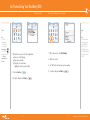
c) You have an existing email account and have access to a BlackBerry Enterprise Server,
but your BlackBerry Enterprise Server system administrator has not provided you
with a password that you can use to activate your BlackBerry 8800 over the wireless
network. Contact your system administrator for more information about setting up
email for your BlackBerry 8800.
d) You have a Microsoft® Outlook Workgroup (Workgroup Installation) email account
on a Microsoft®Exchange Server version 5.5. or later and you want to use the BlackBerry® Desktop Redirector to forward email messages to your BlackBerry 8800.
43
www.cingular.com/tutorials/blackberry8800