1
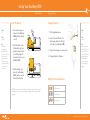
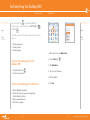
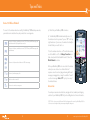
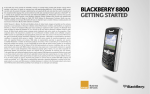
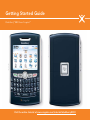
Get Started Using Your BlackBerry 8800
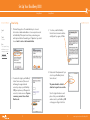
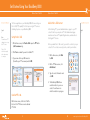
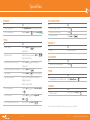
Send Email
DESREVERNOISREVETIHW
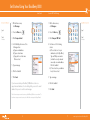
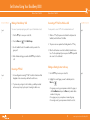
Send an SMS Text Message
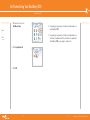
1. On the Home screen,
click Messages.
1. On the Home screen,
click Messages.
Steps?
7
2. Press the Menu key.
2. Press the Menu key.
Steps?
7
Takes?
2 minutes
3. Click Compose Email.
3. Click Compose SMS Text.
Takes?
2 minutes
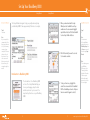
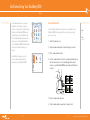
4. In the To field, perform one of the
following actions:
a) Type an email address.
b) Type a contact name.
c) Type part of a contact name.
Click a contact.
6. Click the trackball.
4. 7. Click Send.
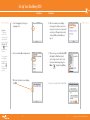
5. Type a message.
If you have associated your BlackBerry® 8800 with more than one
supported email address, in the Send Using field, you can set the email
address that you use to send the email message.
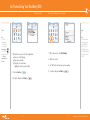
6. Click the trackball.
5. Type a message.
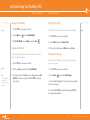
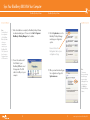
Perform one of the following
actions:
a) If the contact is not in your
address book, click [Use Once].
Type an SMS phone number (include the country code and area code) or an email address. Click the trackball.
b) If the contact is in your address
book, click a contact.
7. Click Send.
Note: You must set up an email account on your BlackBerry 8800 device to send email. To
learn how to set up an email account, refer to Email Account setup in the Setup Wizard.
16
^ white (reversed)
17
www.cingular.com/tutorials/blackberry8800