1
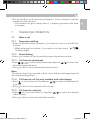
•Press OK and
/
to select the desired ringer volume (a total of 6
ringer volume levels including “VOLUME OFF”).
•Press OK to confirm.
UK
15
Note:
The respective ringer volume will be played during your selection.
10.3
Handset registration
Important:
When you purchase your phone, all handsets are already registered to
your base, so you do not need to register them.
Handset registration is only necessary when you buy extra handsets or if a
handset has become faulty.
You can register additional handsets to have up to five handsets per base
unit, with each handset‘s number (1 to 5) shown on its display. (Note: each
handset can only be registered to one base.)
To register a new handset to your base:
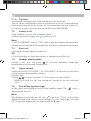
•Press and hold
on the base station for more than five seconds, to
put the base station into registration mode. It will stay in registration
mode for about 1 minute, so the following handset sequence must be
completed within this time.
•Press and / to select “REGISTRATION”.
•Press OK to display “PIN?------”.
•Enter the 4-digit system PIN (default 0000).
•Press OK to confirm, and the display will show “SEARCHING”.
If the handset registration is successful, you will hear a confirmation tone
and the
will stop flashing.
The handset will automatically be allocated the next available handset
number. This handset number is shown in the handset display in standby
mode. If the handset registration is unsuccessful, the
will still flash.
AEG Voxtel D200 A6_V3 UK-DE.indd 15
15/08/2012 9:18:32