1
all.book Page 1 Thursday, March 6, 2003
3:57 PM
Introduction
Welcome, and thank you for
choosing a SHARP inkjet
fax machine! The features
and specifications of your
inkjet fax are shown below..
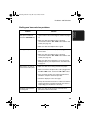
Automatic dialling
Rapid Key dialling: 18 numbers
Speed dialling: 81 numbers
Print cartridge
Initial cartridge
Approx. yield 300 pages at 4% coverage*
Replacement cartridge: SHARP FO-C60B
Approx. yield 600 pages at 4% coverage*
Memory size**
1.8 MB (approx. 100 average pages)
Modem speed
14,400 bps with auto fallback to lower speeds.
Transmission time**
Approx. 6 seconds (only when ECM is on)
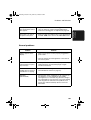
Scanning Resolution
Horizontal: 8 lines/mm
Vertical:
Standard: 3.85 lines/mm
Fine /Halftone: 7.7 lines/mm
Super fine: 15.4 lines/mm
Print resolution
600 × 600 dpi
Automatic document
feeder
20 pages max. (A4 size, 80 g/m2 paper)
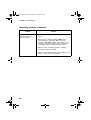
Recording system
Thermal inkjet
Halftone (grayscale)
64 levels
Compression scheme
MR, MH, MMR
*When Ink Save mode is enabled.
**Based on Sharp Standard No. 1 Chart at standard resolution, excluding time for protocol
signals (i.e., ITU-T phase C time only).
1