1
6.2 Chiller Operation Control
6.2.1 Starting
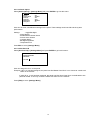
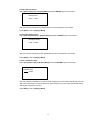
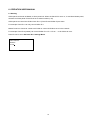
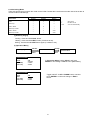
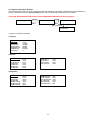
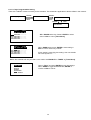
During power on for the Chiller Panel, it needs to take several times to collect information from the Chiller. At this time,
all the status will show ‘--’. Please ensure the particular Chiller exists in the network. When the process is completed,
user can start to control the Chiller using the panel.
01 / 01 /2000
12:00am
01 / 01 /2000
12:00am
Status
: --
Status
: ON
Mode
: --
Mode
: Cooling
Cool Temp
: --
Cool Temp
: 12.0ºC
[00]
In gathering information process
[00]
Gathering information completed
6.2.2 Changing Display Unit
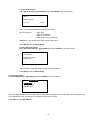
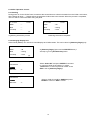
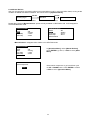
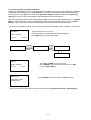
Chiller Panel (Master) can choose to control/display each Chiller status. This can be done in [Summary Pages] only.
01 / 01 /2000
12:00am
Status
: ON
Mode
: Cooling
Cool Temp
: 12.0ºC
In [Summary Pages], press and hold ENTER button (1
second) to go into [Unit Selection] menu.
[00]
Unit Selection
:
Select All
Select One
:0
Unit Selection
:
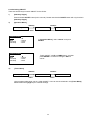
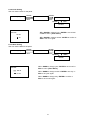
Select a Chiller ID via UP or DOWN and press
ENTER to confirm or ESC to cancel.
Select All
Select One
Select “Select All” and press ENTER if user want
to control all Chiller in the network, or select
“Select One” to control a particular Chiller. Press
ESC to exit to [Summary Pages].
:0
19