1
6.2.3 Switching ON/OFF
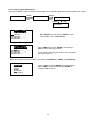
There are several ways to switch ON/OFF for the Chiller.
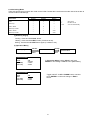
i)
[Summary Pages]
Press and hold ON/OFF button (hold 1 second). Please note that the ON/OFF button will only function in
[Summary Pages].
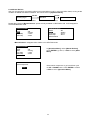
ii)
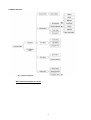
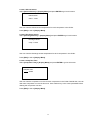
[Operation Menu]
<ENTER>
Summary Pages
<ENTER>
Main Menu
Operation Menu
<ESC>
<ESC>
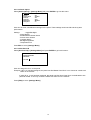
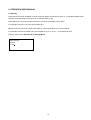
OPERATION MENU
Status
Mode
Cool Temp
Heat Temp
In [Operation Menu], select “Status” and press
ENTER.
: ON
: Cooling
: 12.0ºC
: 40.0ºC
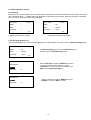
OPERATION MENU
Status
Mode
Cool Temp
Heat Temp
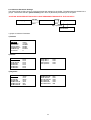
iii)
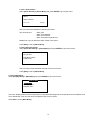
Toggle ON/OFF via UP or DOWN button, and then
press ENTER to confirm the change or ESC to
cancel.
: ON
: Cooling
: 12.0ºC
: 40.0ºC
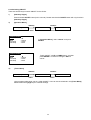
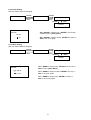
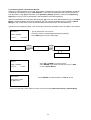
[Timer Menu]
<ENTER>
Summary Pages
<ENTER>
Main Menu
Timer Menu
<ESC>
<ESC>
7 days programmable timer can turn chiller ON/OFF. User can set the schedule in this [Timer Menu].
Please refer 6.2.11 (page 27) for schedule settings.
20