1
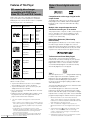
Repeat Play – DVD/Video CD/CD
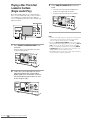
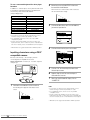
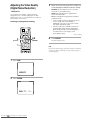
You can repeat an entire title , chapter or trac k, or just a
part.
To cancel repeat play
Press STOP 7. Press CLEAR if y ou want to cancel
repeat pla yback and contin ue normal pla yback.
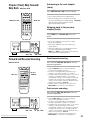
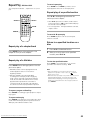
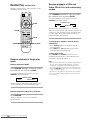
Repeat play of a specified section
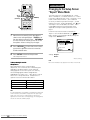
STOP 7
7
4
3
¢
e
8
1
PLAY 3
¡
E
CLEAR
REPEAT
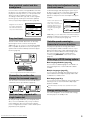
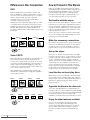
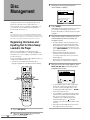
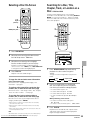
Press A–B at the beginning and end of the
section you want to repeat.
• When A–B is pressed a second time, the disc returns
to the location where A–B was pressed first and plays
the selected section repeatedly.
• You can only perform A–B repeat within the same title,
chapter, or track.
A-B
To cancel A–B repeat play
Press CLEAR. Playback contin ues, but the repeat
function is canceled.
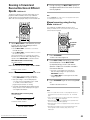
Return to a specified location on a
disc
Repeat play of a chapter/track
1
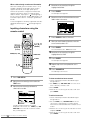
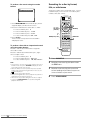
Press A–B at the desired location.
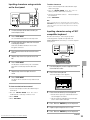
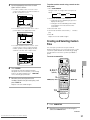
Press REPEAT once during playback of the
chapter or track you want to repeat.
2
When you want to return to the specified
location, press PLAY 3.
Repeat play of a title/disc
To clear the specified location
Press REPEAT twice during playback of the title
you want to repeat.
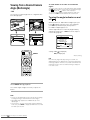
To repeat a program or Best Play
Press REPEAT once during pr ogram pla yback to repeat
the pr ogram.
Notes
• With some DVD discs, there may be times when repeat
playback is not possible. In these cases, the
mark will
appear on the screen.
• With Video CDs, repeat play is not possible when the menu is
displayed (PBC playback). To perform repeat play, start
playback without displaying a menu by pressing the track
number to be repeated when the disc is stopped, and then
press REPEAT.
ADVANCED FUNCTIONS
• With DVDs, the title continues playing until the end,
and then playback starts once more from the
beginning of that title.
• With CDs and Video CDs, repeat play differs
according to the current play mode. In single play
mode, only the current disc is repeated. In ALL play
mode, all of the Video CDs and CDs in the rack are
played and then repeated in the same order. In
custom play mode, all of the Video CDs and CDs in
the current custom file are played and then repeated.
Press CLEAR to cancel repeat pla y or to c lear the
specified location that was set using A–B.
To repeat random play
Press REPEAT once during an y of the random pla yback
modes. When random pla yback is repeated, the trac ks
will be pla yed in a diff erent random or der.
Downloaded From Disc-Player.com Marantz Manuals
55