1
8.4
Changing parameter values
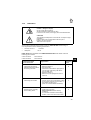
CAUTION!
After changing parameters it is essential to carry out a sewing run. Only then is the altered setting properly saved. If
sewing does not take place, the new setting is lost when
the main switch is turned off.
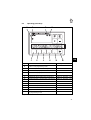
Parameters are changed and switched on and off with the "P", "E", "+" and "-" keys on
the operating panel.
The parameters which can be changed at operator level are listed below.
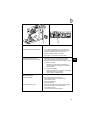
1.
Switch on mains.
2.
Start programming mode
–
Press the "P" key.
The last parameter to have been called appears. If no parameter has been called
since the main switch was turned on, "F - 000" appears in the display.
3.
Select required parameter
–
Press the "+" or "-" key repeatedly until the required parameter appears in the
display. If the "+" or "-" key is held down, the parameter number automatically
cycles until the key is released.
–
Pressing the "E" key displays the parameter value.
GB
4.
Change displayed parameters
–
Press the "+" or "-" keys to change the value of the parameter or switch its
function on and off.
5.
Save change parameter values
–
Press the "E" key to change further parameter values.
The changed parameter value is saved. The next operator-level parameter
appears in the display.
or:
–
Press the "P" key to leave programming mode.
The last parameter value to have been changed is saved.
The control system leaves programming mode.
–
Commencing sewing saves the new values, which are thus preserved when the
machine is switched off.
8.5
Direct parameter-number selection
The parameter number can also be selected directly:
–
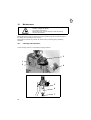
When a parameter number is displayed, press the ">>" key.
The first character flashes.
–
Move to the next character by pressing the "+" or "-" keys.
23