1
Date / Time format
You can set the Date/Time format displayed.
key.
1.
Press
2.
Press + or - key to select “HS SETTINGS”.
key, and press + or - key to select
3.
Press
“DATE/TIME SETTINGS”.
key, and press + or – key to select
4.
Press
“DATE/TIME FORMAT”.
key, and press + or – key to select “DATE” or
5.
Press
“TIME”.
key, and press + or - key to select the
6.
Press
desired Date/Time format
key to confirm.
7.
Press
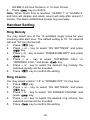
Note: There are two choices for date format (DD/MM or MM/DD)
and two choices for time format (12 HR or 24 HR)
Set Date
You can set the Date/Time displayed.
key.
1. Press
2. Press + or - key to select “HS SETTINGS”.
key, and press + or - key to select
3. Press
“DATE/TIME SETTINGS”.
key, and press + or – key to select
4. Press
“DATE/TIME”.
key, and press + or – key to select “DATE”.
5. Press
key.
6. Press
7. Input the correct last two digits of year (range: 00-99) using
key to confirm the setting.
number key, press
8. Input the correct month and date, the format is: date /
month (date range: 01-30/31, month range: 01-12) using
key to confirm the setting.
numeric keys, press
key to confirm the setting.
9. Press
Note: If the input value is over the range, the handset will toot
and can’t store the input value. Please input the correct setting
again.
– 20 –