1
Section 11. Programming Resource Library
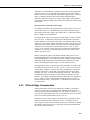
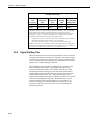
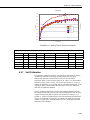
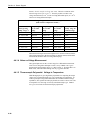
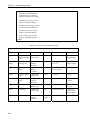
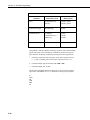
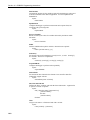
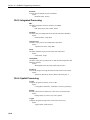
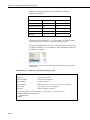
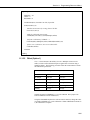
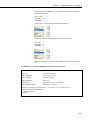
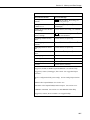
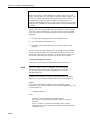
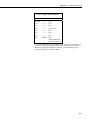
chamber. The following procedure zeros the RH sensor to obtain the
calibration report shown.
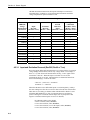
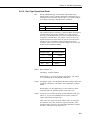
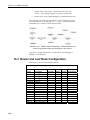
Calibration Report for Air RH Sensor
Initial Calibration
1 Month Calibration
mV Output
1000
1050
Desiccated Chamber
0%
0%
Multiplier
.05 % / mV
.05 % / mV
Offset
-50 %
-52.5 %
Reading
%
0%
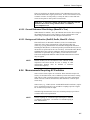
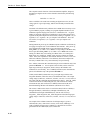
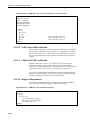
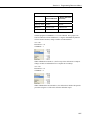
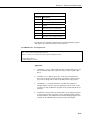
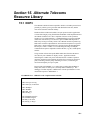
Send the program in EXAMPLE 11.1-1 to the CR1000. To simulate the RH
sensor, place a jumper wire between channels EX1 and SE8 (4L).
Using the CR1000KD keyboard or software numeric monitor, change the value
in variable CalibMode to 1 to start calibration. When CalibMode increments to
6, calibration is complete.
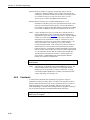
Change the mV variable to 1050, then repeat the calibration to see how drift is
easily zeroed.
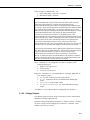
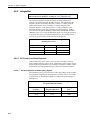
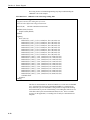
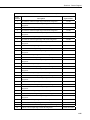
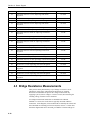
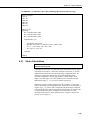
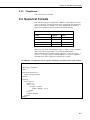
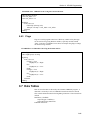
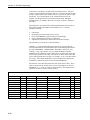
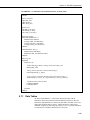
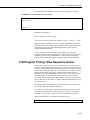
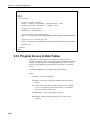
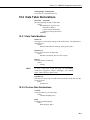
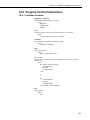
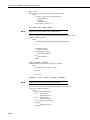
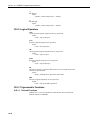
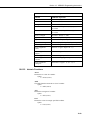
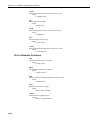
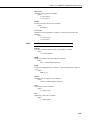
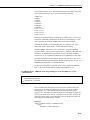
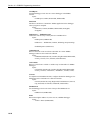
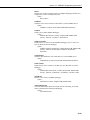
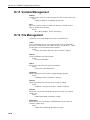
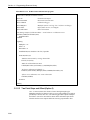
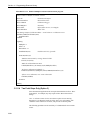
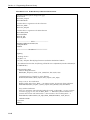
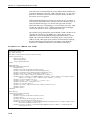
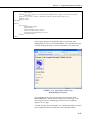
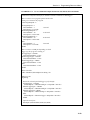
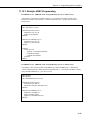
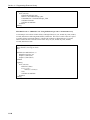
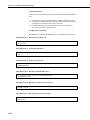
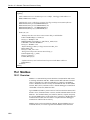
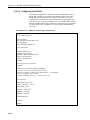
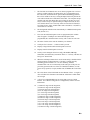
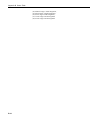
EXAMPLE 11.1-1. FieldCal zeroing demonstration program.
'Jumper EX1 to SE8(4L) to simulate a sensor
Public mV
Public KnownRH
Public CalMode
'Excitation mV Output
'Known Relative Humidity
'Calibration Trigger
Public Multiplier
Public Offset
Public RH
'Multiplier (Starts at .05 mg / liter / mV, does not change)
'Offset (Starts at zero, not changed)
'Measured Relative Humidity
'Data Storage Output of Calibration Data -- stored whenever a calibration occurs
DataTable(CalHist,NewFieldCal,200)
SampleFieldCal
EndTable
11-4