1
Section 19. Troubleshooting
19.2 Communications
19.2.1 RS-232
Baud rate mis-match between the CR1000 and LoggerNet is often the root of
communication problems through the RS-232 port. By default, the CR1000
attempts to adjust its baud rate to that of LoggerNet. However, settings
changed in the CR1000 to accommodate a specific RS-232 device, such as a
smart sensor, display or modem, may confine the RS-232 port to a single baud
rate. If the baud rate can be guessed at and entered into LoggerNet Setup
communications may be established. Once communications is established,
CR1000 baud rate settings can be changed. Get clues as to what the baud rate
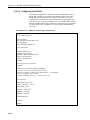
may be set at by analyzing current and previous CR1000 programs for the
SerialOpen() instruction, which specifies a baud rate. Documentation provided
by the manufacturer of the previous RS-232 device may also hint at the baud
rate.
19.2.2 Communicating with Multiple PC Programs
A common practice is to monitor the performance of a CR1000 using
Devconfig or Loggernet while the CR1000 has an open connection to another
copy of Loggernet. For example, the main connection can be via Internet
while the performance monitoring is done via RS-232 port. This is a useful
feature of the CR1000. A problem often arises, however, in that the CR1000
gets confused when attempting this via two different ports, from two different
instances of the same PakBus address, i.e. if Loggernet and Devconfig have the
same address.
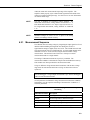
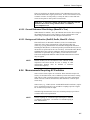
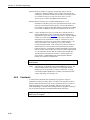
NOTE
Loggernet defaults to PakBus address 4094. Devconfig is fixed
at PakBus address 4094.
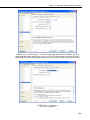
The solution is to change the PakBus address in Loggernet | Setup | Options |
Loggernet Pakbus Settings). If feasible, use PC200W or PC400 instead of
Devconfig as each has a different default PakBus address from LoggerNet.
19.3 Memory Errors
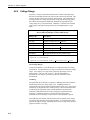
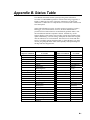
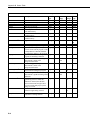
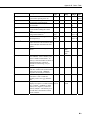
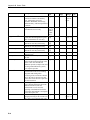
CommsMemFree is a Status Table register. The first number (positive <
1000000) is the most useful. It should be around 30,000 when very little
communication is happening. A lot of PakBus or TCP/IP communication will
tend to drop this number. It should not drop down as low as 2,000. When it
gets this low, comms will try to use non-existent memory. If this occurs too
often, a watchdog will happen with a message "Out of Memory".
19-5