1
Using the answering machine
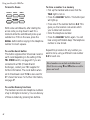
To turn the answer functions on and off
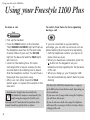
ANSWER
ON/OFF
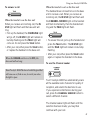
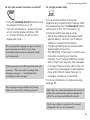
To set the answer delay
TS
6
2
ANS DELAY
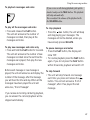
• Press the ANSWER ON/OFF button to turn
the answer functions on or off.
• The unit will announce, “Answer functions
are on” and the display will show “00”
or, “Answer functions are off” and the
display will show “––”.
For a good quality outgoing message record in a
quiet environment so that it is free from
noticeable background noise and speak clearly
and continuously.
If your message exceeds 30 seconds the unit will
announce, “Time out, end of recording. Your
outgoing message is...” and play back the
recorded part of the message.
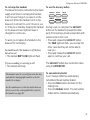
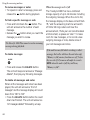
You can set the number of times the
telephone will ring before the Freestyle 1100
Plus answers the call. The ANS DELAY switch
can be set to 2, 6 or TS (Time Saver), by
moving the switch one step at a time.
• The 2 rings setting will be answered after
approximately 7 seconds. Your Freestyle
1100 Plus is preset to this position.
• The 6 rings setting will be answered after
approximately 19 seconds.
• The TS setting (Time Saver) is used to save
time when accessing your machine
remotely. Your Freestyle 1100 Plus answers
after 2 rings if you have any new messages
or 6 rings if there are none. When you call
to listen to your messages, if the telephone
rings a third time it means there are no
messages, so hang up to save time.
For more information on remote accessing,
see page 25.
Your outgoing message should start playing
within 3 seconds of the call being answered .
Most callers are used to having their calls answered
within 10 seconds and the majority abandon the
call if it is not answered within 45 seconds.
The 2 rings setting is regarded as the normal
setting and is the one we recommend.
21