1
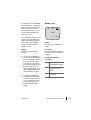
To end the enquiry/toggling press
the Menu softkey and select the
Disconnect menu item. If you long
press the
key again, you are reconnected to the subscriber on hold.
R
A
Pressing
transfers your first call
to the subscriber you consulted.
Transferring an Internal/
External Call to an
Internal Subscriber
You have dialled an internal consultation call (see Enquiry/Toggling by
Means of the R-Key starting on
page 42).
If the system administrator has set
the feature Music on hold upon
transfer on calling in the configurator, then the caller hears “Music on
Hold” while the call is being signalled at the other subscriber. This
setting also specifies whether the
caller hears “Music on Hold” on a recall, or whether they hear the ringing tone or busy tone.
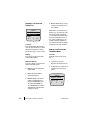
If the called subscriber is busy, press
the Menu softkey and confirm
Disconnect with OK. Then enter
another internal call number to
transfer the call or press the
key
to be connected to the caller again.
R
If the called subscriber accepts the
call, announce the call transfer and
press .
Transferring an External
Call to an External
Subscriber
Or if you do not wish to wait for the
called subscriber to answer: Press
the
key; the other subscriber will
be called.
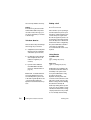
External calls can only be transferred
to an external subscriber via the
“Subscriber on hold” menu.
A
A
If the called subscriber accepts the
call, he/she will be connected to the
waiting call. If the call is not accepted within a certain period of
time (by default 45 seconds), you
get an recall and after pressing
you are connected to the original
subscriber.
The period of time after which a recall is made can be changed by your
system administrator in the
OpenCom 100 and you can ask them
for the current time value.
A
Making Calls
You have dialled an external number
for a consultation call (see Enquiry/
Toggling by Means of the R-Key starting on page 42); the original (external) caller is kept on hold.
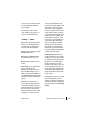
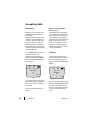
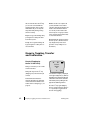
Press the Menu softkey briefly and
confirm the Transfer with OK.
Depending on your communications system’s settings, the external
calls will be joined together in your
communications system or the exchange of the network operator.
Enquiry, Toggling, Transfer and Conference
43