1
Resetting the RoamAbout Access Point
Resetting the RoamAbout Access Point
There are two ways to reset the AP:
•
Reset with Current Settings
This option reboots the AP but leaves the AP’s configured NVRAM parameters
at their current settings.
If you change any wireless configuration parameter (Wireless Network Name,
Channel, Station Name, etc.), you must select this option to reset the AP.
From the AP Manager, select Reset/Reload then select Reset with Current
Settings.
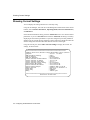
From a device attached to the console port, select Reset with Current Settings
from the Installation Menu.
Allow approximately 1 minute for the AP to reset and complete its self-test.
•
Reset with Factory Defaults
This option reboots the AP, causing the AP’s configured NVRAM parameters to
be initialized to factory default values.
This action deletes all configuration settings and replaces them with factory
default values. All configuration settings will be lost, including the IP address.
From the AP Manager, select the AP from the Managed List field, click the
Reset/Reload button, then click the Reset with Factory Defaults button.
From a device attached to the console port, select Reset with Factory Defaults
from the Installation Menu.
Allow approximately 1 minute for the AP to reset and complete its self-test.
4-14 Configuring the RoamAbout Access Point