1
Using the Bluetooth Radio
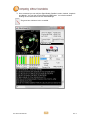
The internal Bluetooth Class II wireless radio in the DLI 7200 is enabled by default. Microsoft™
Bluetooth software comes pre-installed on your terminal.
Pairing an Accessory to the DLI 7200
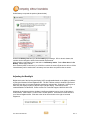
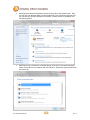
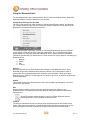
The icon in the system tray offers shortcuts to the Bluetooth Settings window, the Bluetooth
File Transfer Wizard and the Add New Connection Wizard. Press and hold the stylus on the
Bluetooth icon to open the Bluetooth device menu.
The following process is generally common for connecting most Bluetooth devices (keyboard,
mouse, printer, cellular phone, PDA, Tablet PC, notebook PC, etc.). The actual steps may be
slightly different for every type and brand of Bluetooth device. Read and follow the installation
instructions included with your specific device. These are the four generic steps for connecting to a
Bluetooth device.
1.
2.
3.
4.
Discover
Search
Pair
Connect
Discover
Making a Bluetooth device discoverable makes it visible to other Bluetooth devices. Each
Bluetooth device uses a different method (pressing a button or key combination) to make it
discoverable. This is generally described in the device’s documentation. When you activate
Bluetooth on your Tablet PC it is the signal for the Tablet PC to look for, or discover any Bluetooth
devices within range.
Search
This process will find every Bluetooth device that is discoverable and available for connection
within 33 feet (10 meters).
Pair
Using a passkey creates a secure connection (pairing) between the Tablet PC and
Bluetooth device. This passkey helps prevent data from being intercepted and interpreted by
another device.
Though the passkey exchange helps to secure your data, Bluetooth wireless
technology should not be considered completely secure.
Connect
The first time a Bluetooth device is connected to the terminal the drivers are loaded for that
device. After this initial connection, some Bluetooth devices may disconnect when they go into
power-saving mode. Most will automatically reconnect when they become active again.
DLI 7200 Product Manual
21
Rev. 3