1
SAM Card Installation
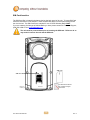
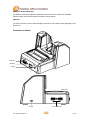
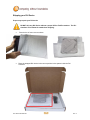
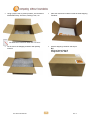
Part of the DLI 2-in-1 Module is an RFID Reader that requires a SAM Card to function correctly.
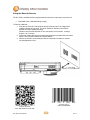
The SAM Card slot is found on the back of the 2-in-1 Module and has special instructions for
installation.
Warning! Do not install/remove module while unit is powered on or plugged in
to AC. ATTENTION! When removing the 2-in-1 module, please be aware of
exposed components. Use non-conductive tools. Do not remove module near
any liquids or debris.
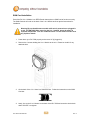
1. Power down your DLI 7200 properly and remove AC (if plugged in).
2. Remove the 2 screws holding the 2-in-1 Module to the unit. Please be mindful of any
attached wires.
3. On the back of the 2-in-1 there is a SAM Card slot. Follow the instructions on the SAM
Card slot.
4. Lastly, line up the 2-in-1 Module on the back of the DLI 7200 and screw the device back
down. DO NOT over tighten.
DLI 7200 Product Manual
30
Rev. 3