1
Table of Contents
Chapter 1. Introduction ......................................................................................7
1.1
1.2
1.3
1.4
Acronis® True Image Echo Server – a complete solution for corporate users..........................7
Acronis True Image Echo Server key features ......................................................................8
New in Acronis True Image Echo Server ..............................................................................9
Supported file systems and storage media .........................................................................10
1.4.1 Supported file systems ..............................................................................................10
1.4.2 Supported storage media...........................................................................................10
1.5 Technical support ............................................................................................................10
Chapter 2. Acronis True Image Echo Server installation and startup ..............11
2.1 System requirements .......................................................................................................11
2.1.1 Minimum hardware requirements ...............................................................................11
2.1.2 Supported operating systems .....................................................................................11
2.2 Installing Acronis True Image Echo Server.........................................................................11
2.3 Running Acronis True Image Echo Server ..........................................................................12
2.4 Removing Acronis True Image Echo Server........................................................................12
Chapter 3. General information and proprietary Acronis technologies ............13
3.1
3.2
3.3
3.4
The difference between file archives and disk/partition images ............................................13
Full, incremental and differential backups ..........................................................................13
Acronis Secure Zone® ......................................................................................................14
Acronis Startup Recovery Manager....................................................................................15
3.5
3.6
3.7
3.8
3.9
Working from a rescue CD ...............................................................................................15
Working from a remote terminal .......................................................................................16
Backing up software and hardware RAID arrays .................................................................16
Support for LVM volumes .................................................................................................16
Backing up to tape drive ..................................................................................................17
3.4.1 How it works ............................................................................................................15
3.4.2 How to use...............................................................................................................15
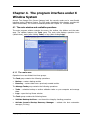
Chapter 4. The program interface under X Window System ............................19
4.1 The main window and available operations ........................................................................19
4.1.1 The main area ..........................................................................................................19
4.1.2 The menu.................................................................................................................20
4.1.3 Status bar ................................................................................................................21
4.2 Viewing disk and partition information...............................................................................21
Chapter 5. Creating backup archives ................................................................22
5.1 Backing up files and folders (file backup)...........................................................................22
5.2 Backing up disks and partitions (image backup) .................................................................26
5.3 Setting backup options.....................................................................................................28
5.3.1 Archive protection .....................................................................................................28
5.3.2 Source files exclusion ................................................................................................29
5.3.3 Pre/post commands ..................................................................................................29
5.3.4 Before/after data capture commands ..........................................................................29
5.3.5 Compression level .....................................................................................................30
5.3.6 Backup performance .................................................................................................30
5.3.7 Fast incremental/differential backup ...........................................................................31
5.3.8 Archive splitting ........................................................................................................31
5.3.9 Media components ....................................................................................................32
5.3.10 Error handling .........................................................................................................32
5.3.11 Additional settings ...................................................................................................33
Chapter 6. Restoring the backup data under X Window system ......................34
6.1 Considerations before recovery.........................................................................................34
4
Copyright © Acronis, Inc., 2000-2007