1
Preparation
Before you start creating slideshows, have the photos and other media files ready, and plan ahead
what output format to use for burning the final slideshow disc. Also familiarize yourself first with the
Ulead DVD PictureShow program interface.
About file format types
Ulead DVD PictureShow supports a number of image formats that can be used to create photo
slideshows. Popular video and audio file formats can also be added to a slideshow project in DVD
PictureShow.
Image formats
• BMP, GIF, IFF, IMG, JP2 (JPEG 2000
with Exif ), JPC (JPEG 2000), JPG,
PNG, PSD, TIF
Video formats
• Animation and video:
AVI, FLC, FLI, FLX, GIF, MOV, QT,
MPG, QVT, WAV, AVA, MID, MP3
Audio formats
• WAV, MP3, MPA
Proprietary format
• Slideshow:
DPS (Ulead DVD PictureShow
project), UPS (Ulead DVD
PictureShow 1.0 project),
UES (Ulead Photo Explorer slideshow)
Selecting an output format
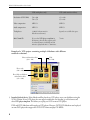
Ulead DVD PictureShow lets you create slideshows in three types of output formats: DVD, SVCD
or VCD.
In selecting a format, things to consider are:
1. The available burning hardware To output a DVD slideshow, you must have a DVD burner and DVD
recordable discs (DVD-R/RWs or DVD+R/RWs). For a VCD or SVCD slideshow, you will need a CD
burner and CD-R/RWs.
4