1
TROUBLESHOOTING
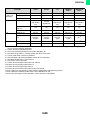
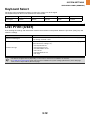
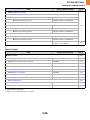
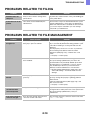
PROBLEMS RELATED TO FILING
Problem
Point to check
Solution
Retention does not
take place.
Did you select retention settings in the
printer driver?
In print mode, enable retention on the [Job Handling] tab
of the printer driver.
A filed data can not be
printed.
Have functions been disabled by the
administrator?
Some functions may have been disabled in the system
settings (administrator). Check with your administrator.
When user authentication is enabled, the functions that
you can use may be restricted in your user settings.
Check with your administrator.
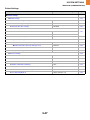
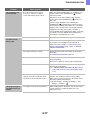
PROBLEMS RELATED TO FILE MANAGEMENT
Problem
Point to check
Solution
Did you select the [Print and Delete the
Data] key to print a stored file?
A file that is printed using the [Print and Delete the Data]
key is automatically deleted after being printed. To print
a file without deleting it, use the [Print and Save the
Data] key.
The file property can be set to "Protect" to prevent the
file from being easily deleted. Click "Document
Operations (Web page only)", and then click a file
name.
➞ "Property" > "File Property"
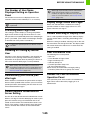
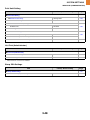
Has automatic deletion of retention files
been enabled?
When "Automatic Deletion of File Settings" is enabled in
the system settings (administrator), the files in the
specified folders are periodically deleted. (Even when
the file property is "Confidential" or "Protect", the file
may be deleted.) If files that you need have been
deleted, consult the administrator of the machine.
➞ System Settings (Administrator) (Web page only) >
"Print Hold Setting" > "Automatic Deletion of File
Settings"
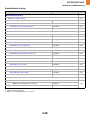
A file cannot be
deleted.
Is the property of the file set to
[Protect]?
A file cannot be deleted when its property is set to
[Protect]. Change the property to [Sharing] and then
delete the file.
Click "Document Operations (Web page only)", and
then click a file name.
➞ "Property" > "File Property"
A confidential file or
confidential folder
cannot be opened.
Did you enter the wrong password?
If you cannot remember the password, it is possible to
change the file or folder password to a new password in
the system settings (administrator). Ask your
administrator.
A file name cannot be
stored or changed.
Does the name include characters that
cannot be used in a file name?
The following characters cannot be used in a file name:
\?/";:,<>!*&#|
A stored file has
disappeared.
4-14