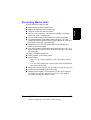
1
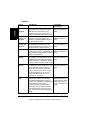
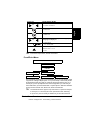
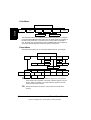
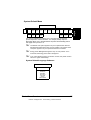
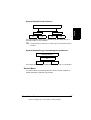
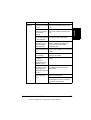
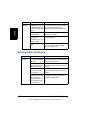
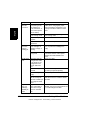
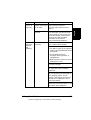
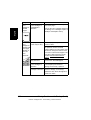
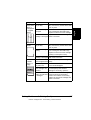
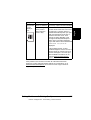
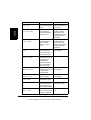
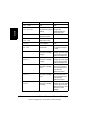
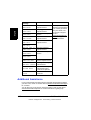
System Default Menu
LANGUAGE EMULATION
SYSSTART
STARTUP
OPTIONS
COLOR
SEPARATION
DATE &
TIME
START
PAGE
OPTIMIZE
PDL
OPTIMIZE
MEDIA
ENERGY
SAVER
AUTOCONTINUE
SECURITY
CAPTURE
PRT JOB
FORMAT
RESTORE/
SAVE
ENERGY
SAVER
MGT
RESTORE
FACTORY
SAVE
CUSTOM
RESTORECUSTOM
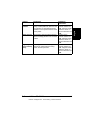
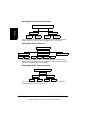
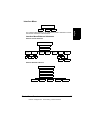
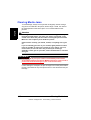
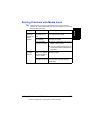
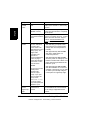
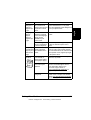
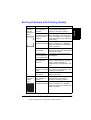
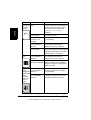
The System Default menu allows you to control the way in which the
printer responds to various situations. For example, Startup Options/
Start Page allows you to decide whether the printer automatically prints a
start page when you turn it on.
The Date & Time option appears only if an optional hard disk and
daughterboard with time-of-day clock is installed. The Capture Print
Job option appears only if an optional hard disk is installed.
Energy Saver Management appears only on 110V printers. If it is
turned Off, the Energy Saver menu disappears.
If you select Restore Factory or Restore Custom, the printer will turn
off and on again automatically.
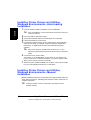
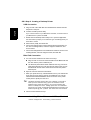
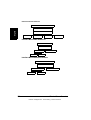
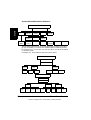
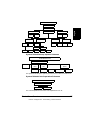
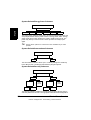
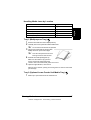
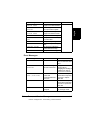
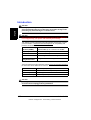
System Default/Language Submenu
SYSTEM DEFAULT
LANGUAGE
ENGLISH
FRANÇAIS
ESPAÑOL
DEUTSCH
ITALIANO
CESKY
PORTUGUES
Printer Menu Overview
EDNord - Istedgade 37A - 9000 Aalborg - telefon 96333500
53
English
SYSTEM DEFAULT