1
UT-4500-A Series Upconverters
Appendix A
A.7.1.21
Revision 1
MN-UT4500A
Firmware Information
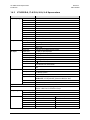
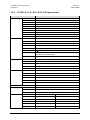
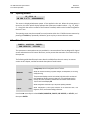
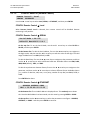
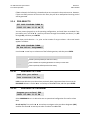
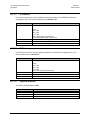
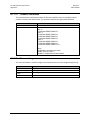
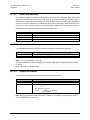
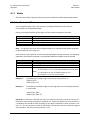
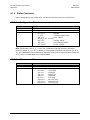
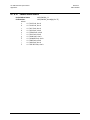
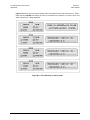
This command returns information about the firmware loaded in the unit including firmware
numbers, versions, and release dates. This command replaces the legacy FRW command.
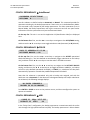
Command
Retrieve Firmware Information:
Confirmation:
Details
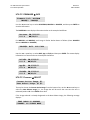
<DEV/FRM_’cr’
>DEV/FRM_’cr’
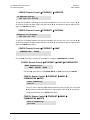
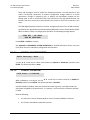
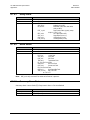
Boot: ’cr’
FW-AAAAAAA B.B.BB
Bulk1: ’cr’
FW-AAAAAAA B.B.BB
FW-AAAAAAA B.B.BB
FW-AAAAAAA B.B.BB
Bulk2: ’cr’
FW-AAAAAAA B.B.BB
FW-AAAAAAA B.B.BB
FW-AAAAAAA B.B.BB
DD/MM/YY’cr’
DD/MM/YY’cr’
DD/MM/YY’cr’
DD/MM/YY’cr’
DD/MM/YY’cr’
DD/MM/YY’cr’
DD/MM/YY’cr’’lf’]
Where:
FW-AAAAAAA = the firmware part number
B.B.BB = the version number
DD/MM/YY = Day/Month/Year firmware released
A.7.1.22
Firmware Image
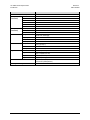
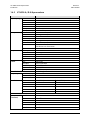
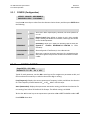
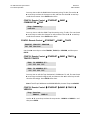
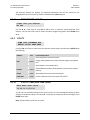
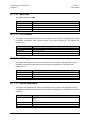
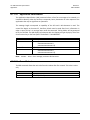
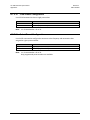
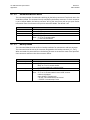
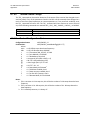
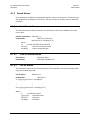
This command allows a valid bulk image to be selected as the next active image during boot-up.
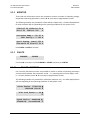
Command
Set Next FW Image:
Confirmation:
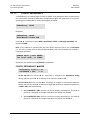
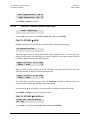
Retrieve Active FW
Image:
Confirmation:
Details
<DEV/IMG_x'cr' x = 1 to 2
>DEV/IMG_x'cr''lf']
<DEV/IMG_'cr'
>DEV/IMG_x'cr''lf']
A–13