1
Softkey Reference
B
ESG Family Signal Generators
Option 200
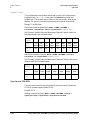
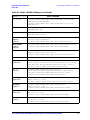
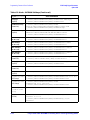
Bits/Frame
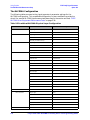
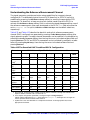
This field is not user-defined. The value cannot be changed and the field
is grayed-out. The field displays the bits per frame for the fully coded
transport channel and is automatically updated from calculated
transport channel parameters and the Ref Measurement Setup test
rate selection.
Data Field Location (Downlink): Mode > CDMA > W-CDMA >
Link Control > 1, 2, 3, or 4 > PhyCH Type > DPCH > PhyCH Setup > Data >
Edit Item > Transport CH > Return > Config Transport > Bits/Frame
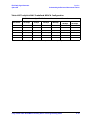
Default (Uplink): 490 for transport channel #1, 110 for transport
channel #2, 60 for transport channels #3, #4, #5, and #6
Data Field Location (Uplink): Mode > CDMA > W-CDMA > Link Up >
Link Control > 2 > Config Transport > Bits/Frame
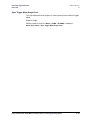
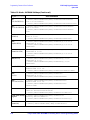
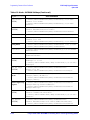
Bits Rate
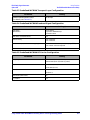
This field is not user-defined. The value cannot be changed and the field
is grayed-out. The bits rate value is automatically updated from
calculated transport channel parameters and the Ref Measurement
Setup test rate selection.
Data Field Location (Downlink): Mode > CDMA > W-CDMA >
Link Control > 1, 2, 3, or 4 > PhyCH Type > DPCH > PhyCH Setup > Data >
Edit Item > Transport CH > Return > Config Transport > Bits Rate
Default (Uplink): 12.2 kbps for transport channel #1, 2.40 kbps for
transport channel #2, 2.00 kbps for transport channels #3, #4, #5,
and #6
Data Field Location (Uplink): Mode > CDMA > W-CDMA > Link Up >
Link Control > 2 > Config Transport > Bits Rate
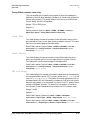
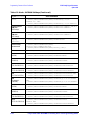
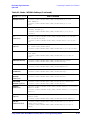
BLER
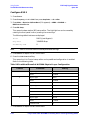
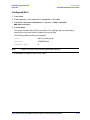
This key sets the insertion mode to Block Error Rate (BLER) for each
transport channel. An incorrect CRC bit sequence is inserted in the
data.
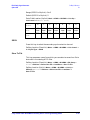
Softkey Location (Uplink): Mode > CDMA > W-CDMA > Link Up >
Link Control > 2 > Config Transport > Err Insert > Edit Item > BLER
3-14
Fully Coded 3GPP W-CDMA Personality User’s and Programming Guide