1
ESG Family Signal Generators
Option 200
2 Using Functions
This chapter provides information on how to use functions that are unique to Option 200
ESG Family signal generators. The chapter is divided into the following sections:
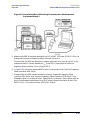
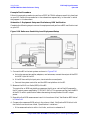
• “Single ESG Downlink Measurement Setup” on page 2-2
• “Two ESG Downlink Measurement Setup” on page 2-6
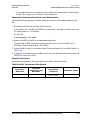
• “3GPP W-CDMA User Equipment Performance Tests” on page 2-18
• “Uplink Measurement Setup” on page 2-76
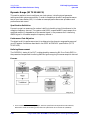
• “3GPP W-CDMA Base Station Performance Testing” on page 2-79
• “Troubleshooting” on page 2-115
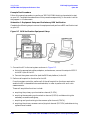
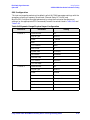
You can configure Option 200 using either one or two signal generators.
A setup using a single ESG to test a subset of receiver parameters is provided on
page 2-2.
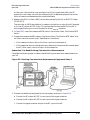
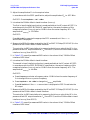
A dual-output setup using two ESGs to test W-CDMA receiver designs is provided on
page 2-6.
For 3GPP performance testing configurations, see “Two ESG Downlink Measurement
Setup” on page 2-6.
The material in this chapter is presented with the assumption that you have a working
knowledge of the ESG. For basic operating information, refer to the quick start guide and
user’s guide.
For information on the operational theory of Option 200, refer to chapter 4.
NOTE
References to preset refer to normal, factory preset conditions (Utility >
Power On/Preset > Normal), not user preset.
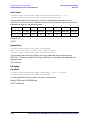
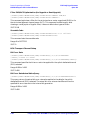
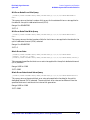
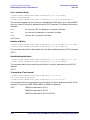
Hardkeys and softkeys are denoted by Bold text; data fields within a setup
editor are denoted by Courier Font.
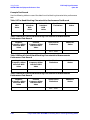
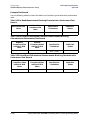
Examples:
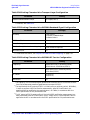
I/Q > I/Q Source (Ext I/Q) > Int I/Q
Hardkey
Softkey
Data Field
Mode > CDMA > W-CDMA > BS Setup > Filter
Fully Coded 3GPP W-CDMA Personality User’s and Programming Guide
2-1