1
T200 User's Manual
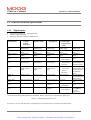
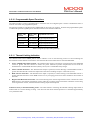
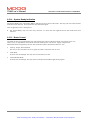
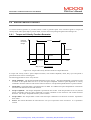
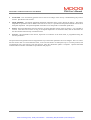
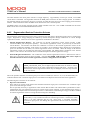
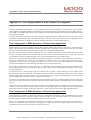
SECTION 8: HAND-HELD-TERMINAL INTERFACE
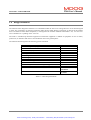
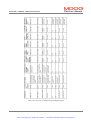
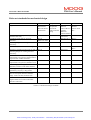
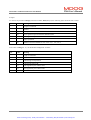
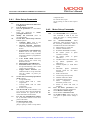
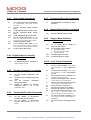
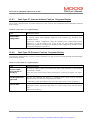
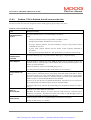
8.4.3
8.4.7
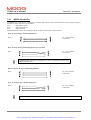
SE
SLA
SLM
STA
STM
STT
STV
SRT
SRV
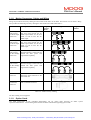
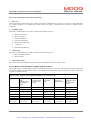
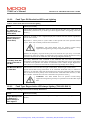
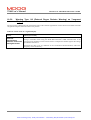
Drive Limits Commands
Set the Emergency Deceleration Rate
for Quick-Stops and Limit Switch
activation.
Set the Automatic Mode Velocity
Limit
Set the Manual Mode Velocity Limit
Set the Automatic Mode Torque
Limit
Set the Manual Mode Torque Limit
Set the Torque Rate Time (i.e. the
time over which the torque is allowed
to increase to the Torque-Rate-Value)
Set the Torque Rate Value
Set the Velocity Rate Time (i.e. the
time over which the velocity is allowed
to increase to the Velocity-Rate-Value)
Set the Velocity Rate Value
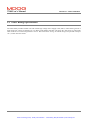
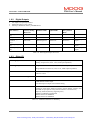
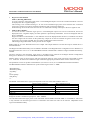
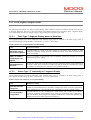
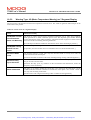
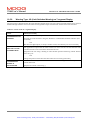
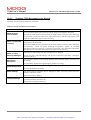
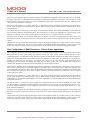
8.4.4 Digital Reference Velocity
Commands
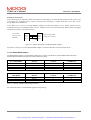
SS
Set Digital Reference Velocities for
digital reference mode
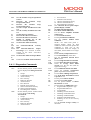
OL
8.4.8
OM
8.4.9
OSL
OSM
SFFE
LFFE
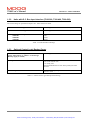
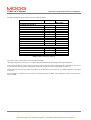
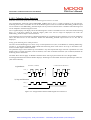
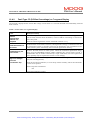
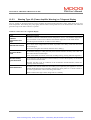
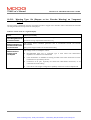
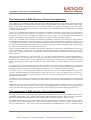
Encoder Simulation Commands
OEL
Set the Encoder Simulation Line
Count
Set the Encoder Simulation Encoder
Angle
Set
the
Encoder
Simulation
Short/Long Marker
Enable or disable the Encoder
Simulation Filter, if not in high
bandwidth mode.
OEA
OEM
OEO
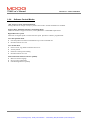
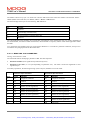
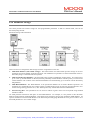
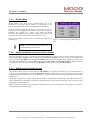
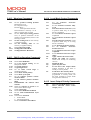
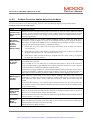
8.4.6
SR
SI
IU
ID
SP
PD
PU
SW
Incremental Encoder Commands
SZ
OIL
OILA
Set the number of Incremental
Encoder Lines per Revolution
Set the number of Incremental
Encoder Offset Lines, from its zero
marker
Enable/Disable the Hardware Limit
Switches
Manual Mode Disable Commands
Enable or Disable Manual Mode
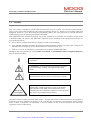
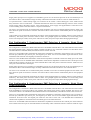
Stepper Motor Interface
Commands
Set the Stepper Motor Number of
Pulses per Revolution
Set the Stepper Motor Mode:1. Quadrature Mode
2. Step and Direction Mode
3. Up/Down Mode
Set Following Error Limit
List Following Error Limit
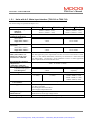
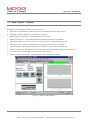
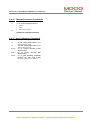
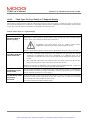
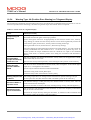
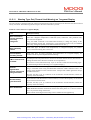
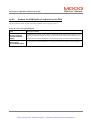
8.4.10 Loop Tuning Commands
SN
8.4.5
Incremental Encoder Commands
SGI
Set the Velocity Scaling of the analog
input channels, in units of RPM per
10V
Set the Position Scaling of the analog
input channels, in units of Revolutions
per 10V
Set the Integral Time Constant of the
velocity loop compensator
Decrease the Integral Time Constant
of the velocity loop compensator
Increase the Integral Time Constant
of the velocity loop compensator
Set the Velocity Loop Gain P
Increase the Velocity Loop Gain P
Decrease the Velocity Loop Gain P
Set the torque Filter Frequency (used
only when in velocity mode and
position mode using ‘OC’command)
Set the torque Filter Damping (used
only when in velocity mode using ‘OC’
command)
Set the Position Loop Integral Gain
GI
PAGE 8-12
Artisan Technology Group - Quality Instrumentation ... Guaranteed | (888) 88-SOURCE | www.artisantg.com