1
Smart Machine Smart Decision
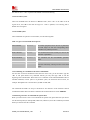
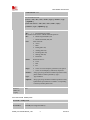
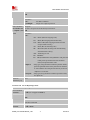
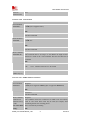
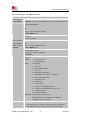
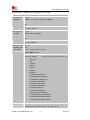
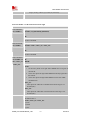
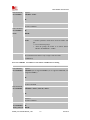
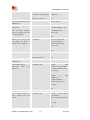
EVB, receive an incoming call
(incoming call accepts waiting
status), place active call on
hold and switch to incoming
call. Switch between both
calls, placing each in the hold
state whilst the other is active
before terminating each one.
This feature relies on knowing
each call’s ID. This is done
using the List Current Calls
(AT+CLCC) Command. A
call’s ID is required to switch
between held and active calls.
Held
calls
are
not
automatically resumed when
all other calls are terminated.
They need to be made active
using the AT+CHLD=2x
Command. Note call waiting
must have been previously
enabled for this demonstration
to work.
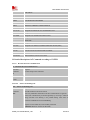
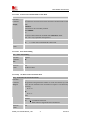
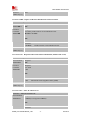
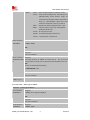
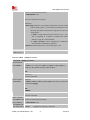
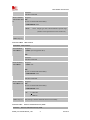
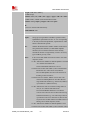
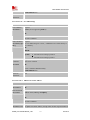
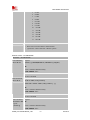
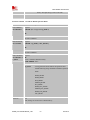
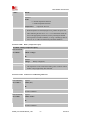
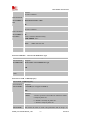
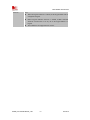
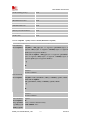
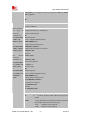
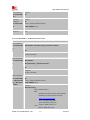
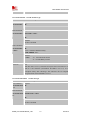
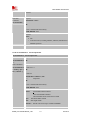
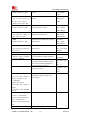
AT+CHLD=2
AT+CHLD=21
AT+CLCC
AT+CHLD=22
AT+CHLD=12
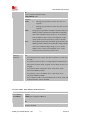
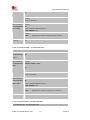
6089",129,1,""
OK
<incoming call activated,
original on hold>
OK
<original
call
activated,
incoming call held>
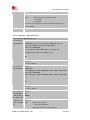
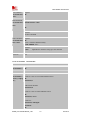
+CLCC:1,0,0,0,0,"62
418148",129,""
+CLCC:2,1,1,0,0, "139
18186089",129, ""
OK
<Note incoming call held flag
set>
OK
<original call held, incoming
call active>
OK
<terminate incoming call>
<terminate original call>
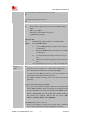
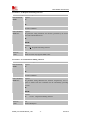
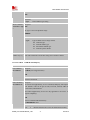
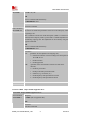
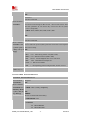
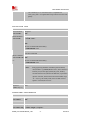
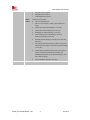
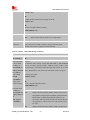
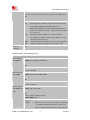
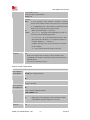
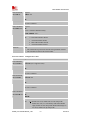
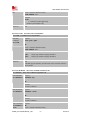
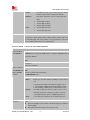
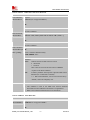
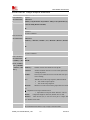
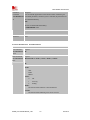
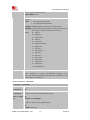
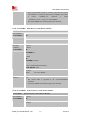
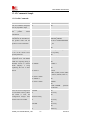
AT+CHLD=11
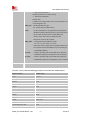
Send busy status to incoming
waiting caller.
Establish a voice call from
EVB, receive an incoming call
(incoming call accepts waiting
status), send ‘busy’ status to
waiting mobile. Note call
waiting must have been
previously enabled for this
demonstration to work.
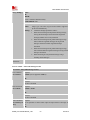
ATD6241xxxx;
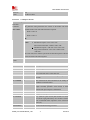
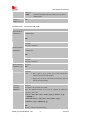
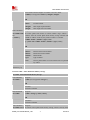
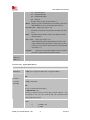
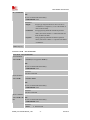
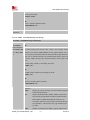
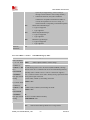
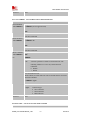
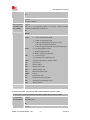
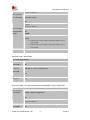
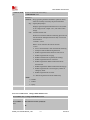
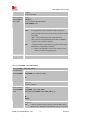
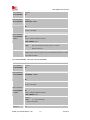
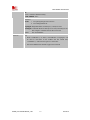
Drop all calls on hold.
Establish a voice call from
EVB, receive an incoming call
(incoming call accepts waiting
status), switch to incoming
call and drop all waiting calls.
Note call waiting must have
been previously enabled for
this demonstration to work.
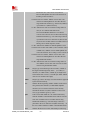
ATD6241xxxx;
<RX incoming call>
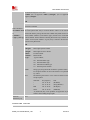
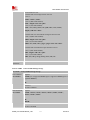
AT+CHLD=0
<RX incoming call>
AT+CHLD=2
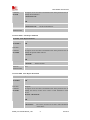
AT+CHLD=0
SIM900_AT Commands Manual_V1.07
250
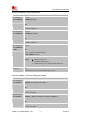
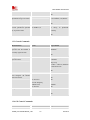
OK
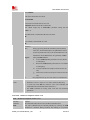
RING
+CCWA: "1391818
6089",129,1,""
OK
OK
<incoming call sent busy msg,
current call retained>
OK
RING
+CCWA: "1391818
6089",129,1,""
OK
<incoming call actived,
original on hold>
OK
<incoming
call
actived,
current call
terminate>
2012.12.10