1
MXhardware_Reference.book Page 1 Monday, April 30, 2007 1:56 PM
A
MX Control Card Configuration
A
This appendix provides additional information on using the cards
available in the MX Control to integrate third-party devices with your
Vicon MX system. It provides instructions on installing userinstallable options.
Warning
MX option cards must be fitted into the designated area inside the
MX Control. This must be done only by technically qualified operators.
Technical operators, before attempting to add or replace an option card in the
MX Control, read General Cautions and Access Instructions on page A-25. Do
not attempt to disassemble or replace any other components of the
MX Control. If your unit requires any other repair or modification, please
contact Vicon Motion Systems.
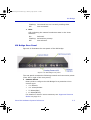
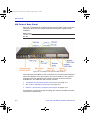
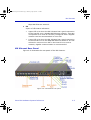
MX Control Card Descriptions
The following sections describe how to use the connectors available
on the standard and optional cards that may be installed in the
MX Control:
•
Timecode and Genlock Option on page A-2
•
MX Control Standard Card on page A-3
•
Device 1 and Device 2 Option Cards on page A-21
For further details on the functions of these cards, see
Chapter 4 MX Control.
Important
The MX options factory installed in your MX Control depend upon the specific
Vicon MX system you have ordered. You can order additional or replacement
MX option cards later and install them in your MX Control, as appropriate.
Your Vicon Sales representative or your nearest agent or distributor can help
you to identify the options suitable for your application requirements. For
details on installing additional cards, see Installing MX Option Cards on
page A-24.
Vicon MX Hardware System Reference
A-1