Download MB QUART MLX-100 Technical data
Transcript
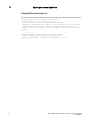
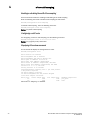
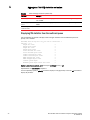
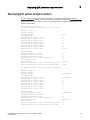
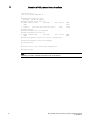
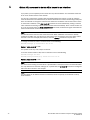
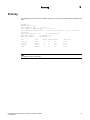
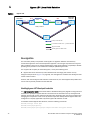
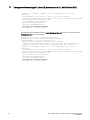
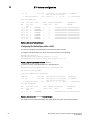
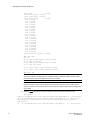
Hybrid port mode OpenFlow 1 Setting the system maximum The system-max openflow-pvlan-entries command sets the CAM size of OpenFlow protected VLAN entries for the device. By default, this value is set to 0. Brocade(config)# system-max openflow-pvlan-entries 2000 Syntax: system-max openflow-pvlan-entries value The value variable represents the number of port and protected VLAN combination entries that can be configured in the system. The range is from 0 to 2048. Once this command is used, you must reload the system. Displaying OpenFlow configuration information The show OpenFlow command displays the configuration for OpenFlow. Brocade(config)# show openflow Number of Controllers: 2 Controller 1: Connection Mode: passive, TCP, Listening Address: 0.0.0.0 Connection Port: 6633 Connection Status: SSL Connection :False No TCP connection found. Controller 2: Connection Mode: active, TCP, Controller Address: 10.20.101.199 Connection Port: 23 Connection Status: Local IP address:port <-> Remote IP address:port TCP state RcvQue RxBuffe SendQue TxBuffe 10.20.178.73 8807 10.20.101.199 23 ESTABLISHED 0 0 0 0 SSL Connection :False Match Capabilty: L2: Port, Source MAC, Destination MAC, Ether type, Vlan, Vlan PCP L3: Port, Vlan, Vlan PCP, Source IP, Destination IP, IP Protocol, IP TOS, IP Src Port, IP Dst Port Normal Openflow Enabled Ports: e2/1 Hybrid Mode ports Protected Vlan-IDs e4/1 (100,101,102,103) e7/2 (200) Default action: drop Maximum number of flows allowed: 4096 Maximum number of Protected Vlans allowed: 2048 Brocade MLX Series and NetIron Family Documentation Updates 53-1002805-03 17