Download MB QUART MLX-100 Technical data
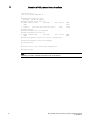
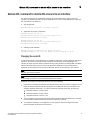
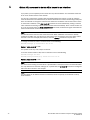
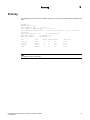
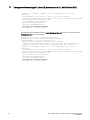
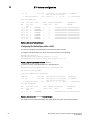
Transcript
1 Global ACL command to delete ACLs bound to an interface If you prefer, you can explicitly set the router ID to any valid IP address. The IP address should not be in use on another device in the network. You can set a router ID for a specific VRF as described within this section. In order to make the route ID calculation more deterministic, the device calculates the router-id value during bootup and does not calculate or change the router-id value unless the IP address used for the router-id value on the device is deleted, or the clear router-id command is issued. Additionally, setting a router-id value overrides the existing router-id value and takes effect immediately. Once a router-id value set by a user is removed using the no ip router-id x.x.x.x command, the device will again recalculate the router-id value based on current information. NOTE The Brocade device uses the same router ID for both OSPF and BGP4. If the device is already configured for OSPF, you may want to use the router ID that is already in use on the device rather than set a new one. To display the router ID, enter the show ip command at any CLI level. To change the router ID, enter a command such as the following. Brocade(config)# ip router-id 10.157.22.26 Syntax: [no] ip router-id ip-addr The ip-addr can be any valid, unique IP address. To set the router ID within a VRF, enter a command such as the following. Brocade(config)# vrf blue Brocade(config-vrf-blue)# ip router-id 10.157.22.26 Syntax: [no] ip router-id ip-addr NOTE The command for setting the router ID for a specified VRF is exactly the same as for the default VRF. The only difference is that when setting it for a specific VRF, the ip router-id command is configured within the VRF as shown in the example. NOTE You can specify an IP address used for an interface, but do not specify an IP address in use by another device. 32 Brocade MLX Series and NetIron Family Documentation Updates 53-1002805-03