1
Contents
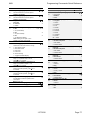
1. INTRODUCTION.......................................................................................... 1
About this Manual ........................................................................................................................................1
Features of the Control Unit .........................................................................................................................2
Elements of the IAS .....................................................................................................................................3
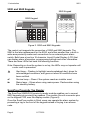
9930 and 9940 Keypads ............................................................................................................................4
ScanProx Proximity Tag Reader................................................................................................................4
User Control ..............................................................................................................................................5
2. TECHNICAL DESCRIPTION ....................................................................... 7
Control Unit Specification.............................................................................................................................7
General......................................................................................................................................................7
Power Supply ............................................................................................................................................7
Outputs ......................................................................................................................................................8
Inputs.........................................................................................................................................................8
Fuses.........................................................................................................................................................8
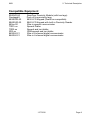
Compatible Equipment.................................................................................................................................9
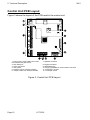
Control Unit PCB Layout............................................................................................................................10
3. INSTALLATION ......................................................................................... 11
Overview....................................................................................................................................................11
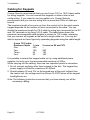
Cabling for Keypads...................................................................................................................................12
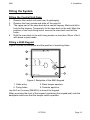
Fitting the System ......................................................................................................................................13
Fitting the Control Unit Case....................................................................................................................13
Fitting a 9940 Keypad..............................................................................................................................13
Fitting a 9930 Keypad..............................................................................................................................14
Fitting the ScanProx 934 Module.............................................................................................................15
Wiring the Control Unit...............................................................................................................................16
Cable Entries ...........................................................................................................................................16
Mains Connection ....................................................................................................................................16
Keypads...................................................................................................................................................17
Connecting Sounders ..............................................................................................................................18
Connecting Detector Circuits to the Main PCB ........................................................................................20
Programming Outputs..............................................................................................................................22
Wiring Keyswitches..................................................................................................................................23
Communicator ...........................................................................................................................................25
Fitting a Battery..........................................................................................................................................27
Initial Start Up ............................................................................................................................................28
4. PROGRAMMING ....................................................................................... 29
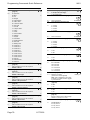
Introduction ................................................................................................................................................29
Operating Modes .....................................................................................................................................29
Entering Installer Mode............................................................................................................................30
Using Programming and Testing Commands ..........................................................................................30
Leaving Installer Mode.............................................................................................................................31
Restoring Default Access Codes (first stage reset)..................................................................................31
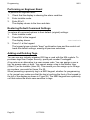
Performing an Engineer Reset.................................................................................................................32
Restoring Default Command Settings......................................................................................................32
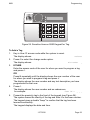
Adding and Deleting Tags........................................................................................................................32
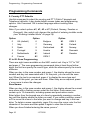
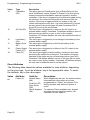
Programming Commands ..........................................................................................................................35
Testing Commands....................................................................................................................................68
90: Reading the Event Log ......................................................................................................................68
91 to 96: Testing Outputs.........................................................................................................................71
97: Engineer Walk Test ...........................................................................................................................71
199: Display Zone Circuit Resistance ......................................................................................................72
991: Show Software Version....................................................................................................................72
System Configuration.................................................................................................................................73
PD 6662 / prEN 50131-1: 2004 Compliance ............................................................................................73
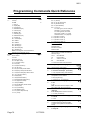
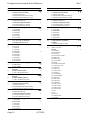
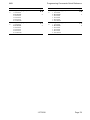
Programming Commands Quick Reference .............................................. 74
Index.............................................................................................................. 81
11772232
Page i