1
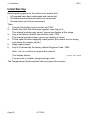
Programming - Programming Commands
1
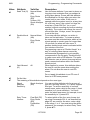
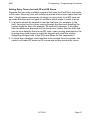
9651
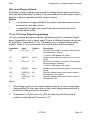
On. Duress Code.
Note: If the duress code is disabled and then enabled again, the code
previously assigned to it by the user will be lost. A new duress code must
be assigned.
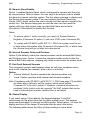
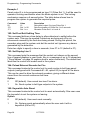
50: CSID Code
To enable the user to use the "Remote Reset" facility (enabled with Command
23), you must program the control unit as "Engineer Reset" (Command 33
option 1) and install a four-digit Central Station Identification (CSID) code:
1. Contact the Alarm Receiving Centre (ARC) and obtain the CSID code.
2. Ensure that the system is in installer mode.
3. Select Command 50 and enter the four-digit CSID code.
The control unit now contains the same CSID code as the ARC and can use
this to generate a four-digit reset code that will be recognised by the ARC
7300 Remote Reset decode programmer.
After an alarm, the user keys in their access code to silence the alarm but
cannot reset the system. The system generates the reset code and displays it
on the keypad. The user calls the ARC and reports the reset code. The ARC
verifies the user's identity and then enters the reset code into the 7300
programmer, which generates an anti-code. The ARC gives the anti-code to
the user, who keys it into the keypad to reset the system.
Note: To delete a CSID code, key in "0000" over the existing code.
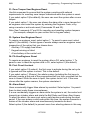
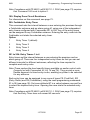
51: Set Time and Date
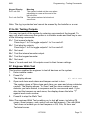
The system has an internal clock/calendar, which it uses to record the time
and date of events in the log. This command sets the current time and date in
the clock/calendar. The system displays the date first: enter the day, month
and year in turn, each as two digits. The system then displays the time: enter
the hours and minutes in turn, each as two digits (using the 24-hour clock).
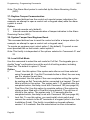
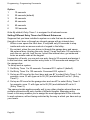
52: Omit Alarm
This command specifies whether, when a user omits a zone, the control unit
omits the tamper contacts as well as the alarm contacts.
Option
0
The control unit omits alarm contacts only.
1
The control unit omits both alarm and tamper contacts.
Note: To permit the user to omit a zone, you must set attribute X4 for the
zone.
Page 48
11772232