1
2GM
Maintenance
item No.
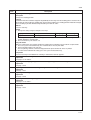
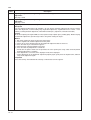
U089 Outputting a MIP-PG pattern
Description
Description
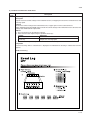
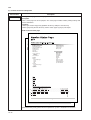
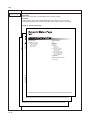
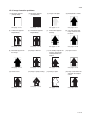
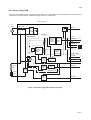
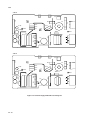
Selects and outputs a MIP-PG pattern created in the machine.
Purpose
When performing respective image printing adjustments, used to check the machine status apart from that of
the scanner with a non-scanned output MIP-PG pattern.
Method
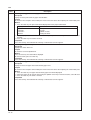
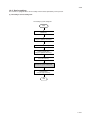
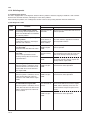
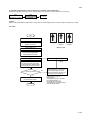
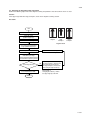
1. Press the enter key. A selection item appears.
2. Select the item to be output using the up/down cursor keys.
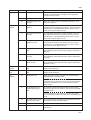
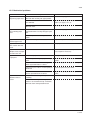
Display
Description
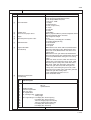
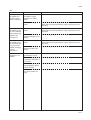
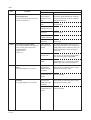
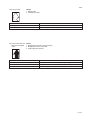
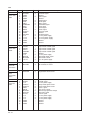
Gray Scale
Mono
256
1dot
Outputs the gray PG
Outputs the monochrome PG
Outputs the 256-level PG
Outputs the 1dot PG
3. Press the enter key to enter the selected mode.
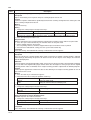
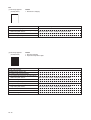
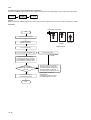
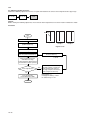
Method: Gray PG output or 256-level PG output
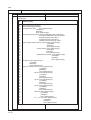
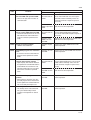
1. Press the up/down cursor keys to select the desired item of gradation processing.
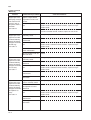
Display
Description
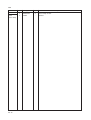
Err Diffusion2
Err Diffusion4
Dither
2-value error diffusion method
4-value error diffusion method
Dither matrix method
2. Press the enter key.
3. Press the up/down cursor keys to select whether output of γ is on or off.
4.
5.
6.
7.
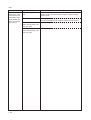
Display
Description
γ Off
γ On
Output of γ off
Output of γ on
Press the enter key.
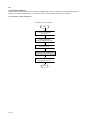
Press the system menu/counter key. The machine enters the PG pattern output mode.
Press the start key. A MIP-PG pattern is output.
To return to the indication for setting, press the system menu/counter key.
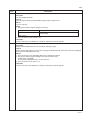
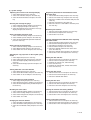
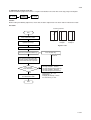
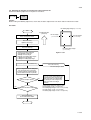
Method: Monochrome PG output
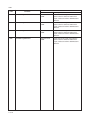
1. Change the setting using the left/right cursor keys.
Description
Setting range
Initial setting
Monochrome PG output level
0 to 255
70
2. Press the enter key. The value is set.
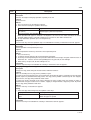
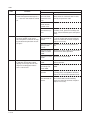
3. Press the up/down cursor keys to select the desired item of gradation processing.
Display
Description
Err Diffusion2
Err Diffusion4
Dither
2-value error diffusion method
4-value error diffusion method
Dither matrix method
4. Press the enter key.
5. Press the up/down cursor keys to select whether output of γ is on or off.
6.
7.
8.
9.
Display
Description
γ Off
γ On
Output of γ off
Output of γ on
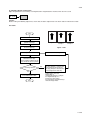
Press the enter key.
Press the system menu/counter key. The machine enters the PG pattern output mode.
Press the start key. A MIP-PG pattern is output.
To return to the indication for setting, press the system menu/counter key.
1-4-9