1
(Continued)
■ APMS (Automatic Programmable
Music Selector)
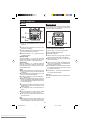
● The CD can be programmed to play the tracks
in any order, or skip certain tracks.
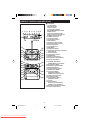
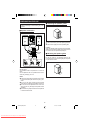
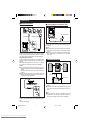
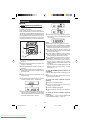
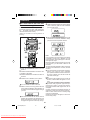
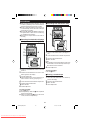
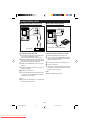
1 Load a compact disc and close the CD compartment.
2 Press the MEMORY/SET (MEMORY) button to
prepare for programming.
● “MEMORY” will flash.
2,4
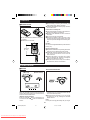
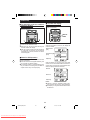
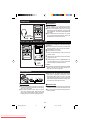
3 Within 30 seconds, turn the jog dial on the main
6
3
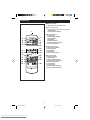
unit or press the 5 3 or 2 4 button on
the remote control to select the desired track.
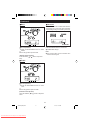
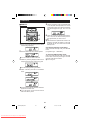
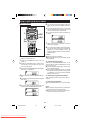
4 Press the MEMORY/SET (MEMORY) button.
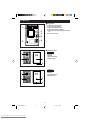
● The selected track number and the programmed
playback order will be displayed.
● After 2 seconds, the total playing time of the
programmed tracks will be displayed automatically.
5 Repeat steps 3 - 4 for any other track. Up to 20
CLEAR
tracks can be programmed.
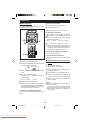
● If you make a mistake whilst in the programming mode (when MEMORY is flashing) or if
you change your mind, the programmed tracks
can be cleared by pressing the CLEAR button
on the remote control. The tracks will be cleared
sequentially starting with the last entered track.
6
3
2,4
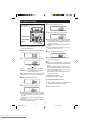
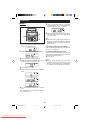
6 Press the 0 / CD 6 ( 0 6 ) button to start playback of programmed selections.
To clear all the programmed selections:
To cancel a programmed sequence, press the
CLEAR button on the remote control whilst the disc
is stopped and the “MEMORY” indicator is lit.
Notes:
● Opening the CD compartment automatically cancels the programmed sequence.
● Even if you press the ON/STAND-BY button to
enter the stand-by mode or the function is
changed from CD to some other function, the
programmed selections will not be cleared.
● Programming is not possible during CD playback.
It must be performed whilst the CD is stopped.
● When in the random play mode (whilst “RANDOM” is lit), programming is not possible.
To perform any programming, cancel the random
play mode.
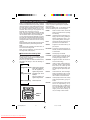
Selected track number Playback order
Total playing time
15
60H/70H(SUK)13-17
Downloaded From Disc-Player.com Sharp Manuals
15
00.1.5, 11:40 AM