1
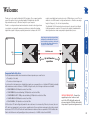
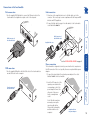
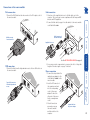
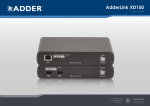
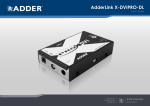
modules can reliably transfer video rates up to 165Mpixels per second. This is in addition to two USB channels for keyboard and mouse - all via the same single length of Category 5, 5e or 6 twisted pair cabling. The AdderLink X-DVI extenders have been designed to be quick to install and totally transparent in operation. All connectors are industry standard and the video adjustments are made using simple keyboard button presses. REMOTE LOCAL CATx link cable ADDERLINK UPG LINK TO REMOTE POWER ADDER Ferrite core ON ® www.adder.com Up to 50 metres separation ADDERLINK LINK TO LOCAL POWER ADDER ON ® www.adder.com The actual maximum reliable video transmission distance depends upon several factors: • The quality of the cable, • The video resolution being used. For best results in the transmission of digital video signals we recommend the use of shielded CAT6 cable (preferably with a minimum conductor thickness of 26AWG). Using this cable, the following resolutions are achievable: • 1600x1200@60Hz (162Mpixels/second) at least 30m, • 1920x1200@60Hz, reduced blanking (154Mpixels/second) at least 30m, • 1920x1080@60Hz HDTV 1080p, reduced blanking (139Mpixels/second) at least 30m, • 1280x1024@60Hz (108Mpixels/second) at least 40m, • 1024x768@60Hz (65 Mpixels/second) at least 50m. CAT6 or better UTP cable will typically enable the above distances to be increased by 10 metres, however, the use of UTP cable is not guaranteed to meet emissions regulations at all screen resolutions and may be affected by external interference. CAT5 / CAT5e UTP cable will enable transmission distances that are equivalent to CAT6 shielded cable. Cables with thicker wires will generally give better performance (i.e. 24AWG is better than 26AWG). Important link cable advice Ferrite core VIDEO USB Proprietary pre-emphasis and equalisation techniques are used within the local and remote modules respectively to achieve the best possible video image at the monitor. See page 7 for further details. PC INSTALLATION ADVICE – Connect the supplied protective ferrites at each end of the CATx link cable and avoid disconnecting the CATx link cable whilst the product is operational (powered on). F Thank you for choosing the AdderLink X-DVI extenders. These compact modules present the quickest way to extend high quality DVI digital video plus USB keyboard and mouse up to 50 metres away from your computer. Thanks to our long involvement and investment in extender technology we have succeeded in overcoming the numerous problems associated with extending digital video signals. Using our proprietary transmission techniques the X-DVI Welcome