1
English
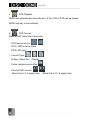
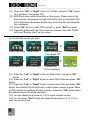
--------------------------------------------------------------------------------(2.6) After movie file is selected, please press “OK” button for 3 seconds
(“Long press OK”). AD330 will show some information on the screen. Please
refer to the disc numbers and prepare enough blank DVD discs or rewritable
DVD discs (that should be erased before use). Insert the disc and close the
tray completely.
(2.7) Press “OK” button to start “DVD convert” or press “Exit” to cancel.
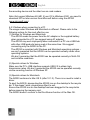
Please be patient with the “Disc finalizing” process; after that, AD330 will
show “Burning finish” on the screen.
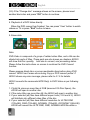
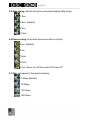
(2.8) If the “Change disc” message shows on the screen, please insert
another blank disc and press “OK” button to continue.
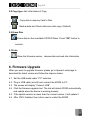
(2.9) It is recommended to use playlist to do DVD convert more efficiently.
(3) Convert movies in playlist
>
Playlist Mode
Select Playlist
“Long press OK"
>
Disc finalizing
>
>
File information
Copy status
>
Change Disc
Burning Finish
(if it’s necessary)
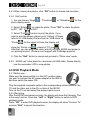
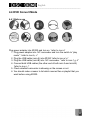
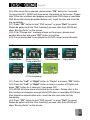
(3.1) Press the “Left” or “Right” button to “Playlist” and press “OK” button.
(3.2) Press the “Left” or “Right” button to select a number of Playlist and
press “OK” button for 3 seconds (“Long press OK”).
(3.3) AD330 will show some information on the screen. Please refer to the
disc numbers and prepare enough blank DVD discs or rewritable DVD discs
(that should be erased before use). Insert the disc and close the tray
completely.
(3.4) Press “OK” button to start “DVD convert” or press “Exit” to cancel.
Please be patient with the “Disc finalizing” process; after that, AD330 will
show “Burning finish” on the screen.
29