1
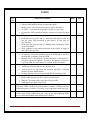
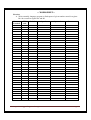
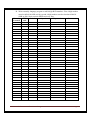
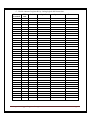
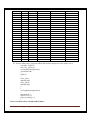
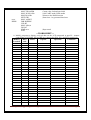
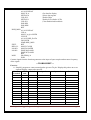
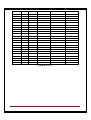
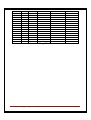
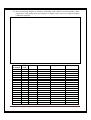
Sr.
No.
8.
9.
10.
11.
12.
13.
14.
15.
16.
17.
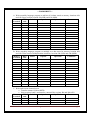
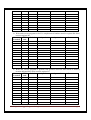
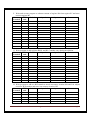
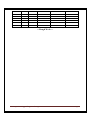
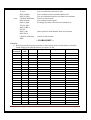
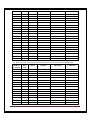
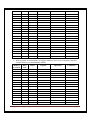
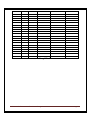
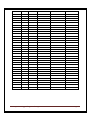
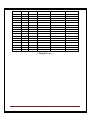
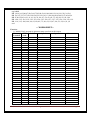
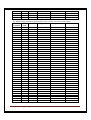
Name of Experiment
Date
Sign
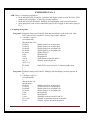
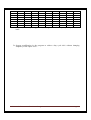
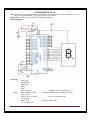
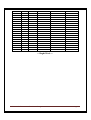
Interface seven segment display with Port P2. Write program to display
number 0 to 9 on the seven segment display at the interval of 1 second.
Interface LCD with the microcontroller. Display your name on the
LCD.
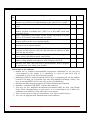
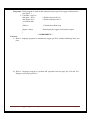
Write a program to transmit letter “E” continuously using serial port.
Modify program to transmit text “YES”. Use 8 bit UART mode with
baud rate 19,200.
Write a program to receive bytes of data serially and display it on port
P0. Use 8 bit UART mode with baud rate 9600.
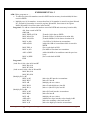
Write a program to count external pulses given at the timer0 input pin.
Display pulses on the seven segment display.
Interface matrix keyboard with 8051. Write program to display key
pressed on seven segment display.
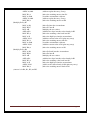
Interface stepper motor with port P0 of the microcontroller. Write a
program to rotate motor in clockwise and anticlockwise direction in half
step and full step mode.
Interface DC motor with 89C51 microcontroller. Write a program to
rotate motor with different speed using PWM.
Interface ADC0808 with 89C51 microcontroller. Write program to read
analog voltage applied at the input of ADC. Display it on LCD.
Interface 8 bit DAC chip with 89C51 microcontroller. Write a program
to generate sine wave using look up table.
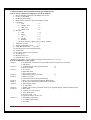
Instructions to the students:
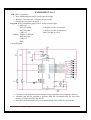
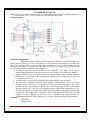
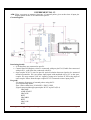
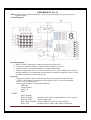
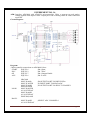
• Student has to construct microcontroller mini-project individually as per the given
circuit diagram by the faculty. It is compulsory as a part of term work. List of
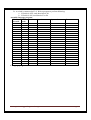
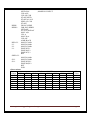
components is given at the end of this lab manual.
• Mounting of RS-232 connector and MAX-232 chip is compulsory for all the students
because it will help you to program your chip using Philips Flash Magic Utility (You
have to download HEX files in your chip to test your hardware)
• Simulate assembly language programs on UMPS assembler and simulator.
• Simulate C programs using KEIL compiler and simulator.
• You may use free integrated development environment (IDE) for 8051 with Ubuntu
Linux. Linux operating system is open source so it is convenient to use it. Many free
simulators are available to work with Linux environment.
• Solve exercise given at end of each practical, write answers and execute it.
• Test your all programs with Simulator and actual hardware.
Lab Manual of Microcontroller & Interfacing
Page 4