1
DVD Playback for Special Functions
DVD
DVD
Programmed Playback
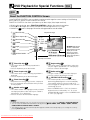
The two types of programmed playback provided by this Player are
title programmed playback, chapter programmed playback.
OPERATE
Title Programmed Playback
1
VIRTUAL
SETUP
ON
SCREEN
OPEN/
CLOSE
ZOOM
DISPLAY
DIMMER
ANGLE
AUDIO
FUNCTION
CONTROL SUBTITLE
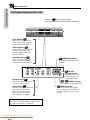
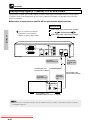
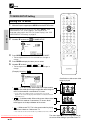
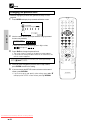
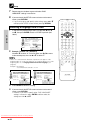
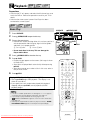
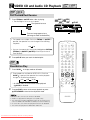
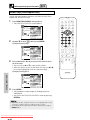
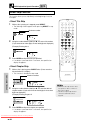
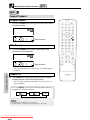
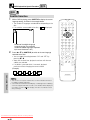
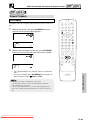
Press PROGRAM while the disc is stopped.
• The “TITLE PROGRAM” screen appears.
TITLE
MENU
RETURN
ENTER
TITLE PROGRAM
=TITLE
REPEAT
2
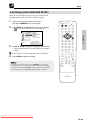
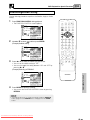
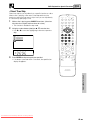
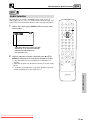
Use the number buttons (0 to 9) to enter the title numbers in – –
and then press M (MEMORY). (The highlight moves to the right
(next field).)
• If the entered title number does not exist on the disc, the
number is ignored when M (MEMORY) is pressed. Press
C (CLEAR) to clear.
A B REPEAT
PROGRAM
CLEAR
MEMORY
C
M
DIRECT
REV
FWD
PLAY
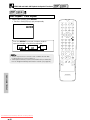
(Example) Title 5 entered.
RESUME
TITLE PROGRAM
STILL PAUSE
TITLE PROGRAM
=TITLE
5
STOP
=TITLE
_
05
F.ADV
SLOW
SKIP
SLOW
SKIP
A zero (0) is automatically
inserted before the first digit.
SPECIAL FUNCTIONS
3
4
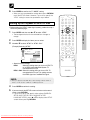
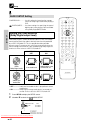
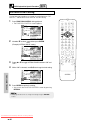
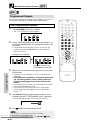
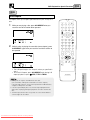
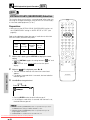
Repeat step 2 for each of the titles that you want to play as part
of the program.
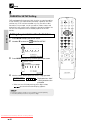
• If you enter two or more digits, only the last two digits are
displayed.
• If you hold down C (CLEAR) for 2 seconds or longer while
you are entering numbers, all the entered numbers are
erased and the highlight returns to the initial (top left)
position.
• If you press C (CLEAR) while you are entering a title number,
the number entered reverts to – – .
• If you press C (CLEAR) when the Player is awaiting input
(cursor in – – ), the cursor highlight returns to the previous
location.
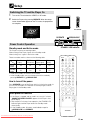
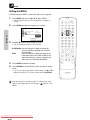
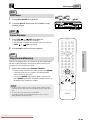
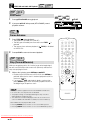
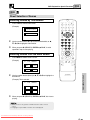
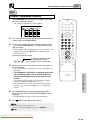
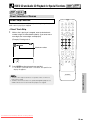
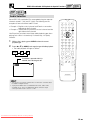
Press ûPLAY to begin playing the programmed titles. (Press
this button while the “TITLE PROGRAM” screen is displayed.)
• PROGRAM indicator lights on the front panel display.
/9
5
PROGRAM
DVD
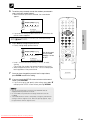
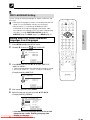
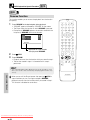
Press Ë STOP to stop programmed playback.
• On some discs, the programmed playback is disabled.
• Up to 20 titles can be programmed.
Downloaded From DvDPlayer-Manual.com Sharp Manuals
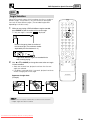
• To exit the “TITLE PROGRAM” screen, press RETURN or Ë STOP.
DVD VIDEO PLAYER