1
DVD
DVD Playback for Special Functions
DVD
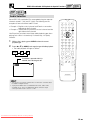
VIRTUAL DOLBY (QSURROUND) Selection
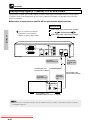
This function allows you to enjoy a “surround sound” effect when you
are using an analogue connection (using AUDIO OUT on the Player)
to 2-channel audio equipment (TV, etc.).
OPERATE
SETUP
ON
SCREEN
OPEN/
CLOSE
ZOOM
DISPLAY
DIMMER
ANGLE
AUDIO
Preparation:
VIRTUAL
• When you use the VIRTUAL DOLBY (QSURROUND) function, set
the “COMPRESSION” setting in “AUDIO SETUP” to “OFF” (see
page 30).
FUNCTION
CONTROL SUBTITLE
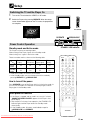
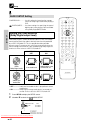
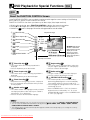
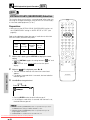
Refer to the table below about the types of audio format with which
VIRTUAL DOLBY (QSURROUND) works.
TITLE
MENU
RETURN
ENTER
REPEAT
Types of audio recorded on the disc
Dolby
Digital
Dolby
Pro Logic
A B REPEAT
Dolby Digital MPEG Audio
2ch/Linear
Ver. 2.0/
PCM
DTS
✕
✕
PROGRAM
CLEAR
MEMORY
C
M
DIRECT
REV
FWD
PLAY
1
SPECIAL FUNCTIONS
2
3
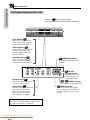
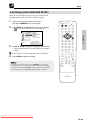
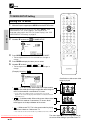
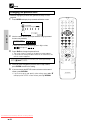
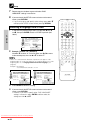
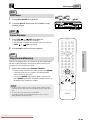
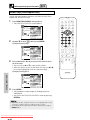
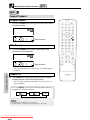
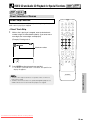
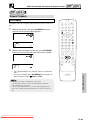
While a disc is playing, press VIRTUAL to display the current
setting.
ON” and
• Pressing VIRTUAL toggles the setting between “
“
OFF”.
• When VIRTUAL is on, VIRTUAL lights on the front panel
display.
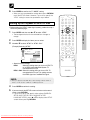
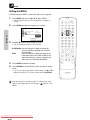
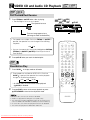
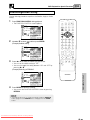
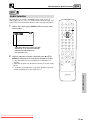
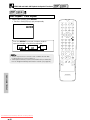
While the “
ON” is displayed, press \ or | .
• The level selection indicator that shows the current level
appears.
• If no button is pressed within 10 seconds, the level selection
indicator goes off.
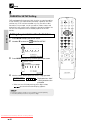
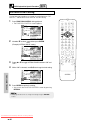
Use \ or | to change the level.
Press \.
Press |.
ON
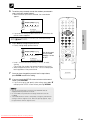
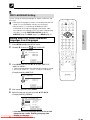
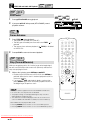
• Pressing ENTER makes the level indicator go off.
• If no change is made within 10 seconds after the level is set,
the level indicator goes off.
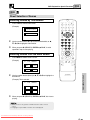
• VIRTUAL DOLBY (QSURROUND) does not operate when you set the
“COMPRESSION” setting in “AUDIO SETUP” to “ON”.
• VIRTUAL DOLBY (QSURROUND) does not operate when you are
using a Digital connection.
• QSURROUNDTM is a trademark of QSound Labs, Inc.
Downloaded From DvDPlayer-Manual.com Sharp Manuals
RESUME
STILL PAUSE
STOP
F.ADV
SLOW
SKIP
SLOW
SKIP
DVD VIDEO PLAYER