1
OPERATION
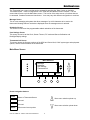
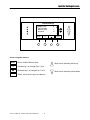
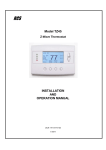
Wall display Unit Control Buttons
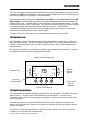
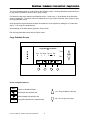
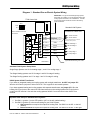
All 6 buttons on the TS40 Wall Display Unit are “Soft Keys” meaning that they change functions when you
change screens. The function of the buttons is defined by “on-screen labels” that are dynamic and
change when you change screens. The following are definitions for the buttons for the main “Thermostat
screen” and their primary mode of operation. Other screens and their button operations are defined in
following sections.
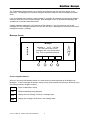
Wall Display Unit LEDs
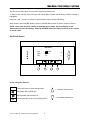
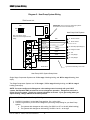
The TS40 has four LED’s that display various status information. The LEDs have dynamic “on-screen”
labels that can change with the screen being displayed.
Wall Display Unit “Screens”
One of the unique features of the TS40 WDU graphical display is the ability to have multiple display
screens. In addition to a main thermostat control screen, menus and other control screens for special
functions are provided. This makes an intuitive and easy to use “user interface”. It allows the many
functions of the TZ40 to be easily navigated.
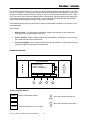
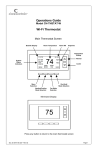
The TS40’s main screen is the Thermostat Control Screen. From this screen you can access a menu
screen that will list other control screens or setup screens.
Thermostat Control Screen
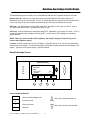
This is the default main screen and the only screen needed for basic thermostat operation (temperature
setting and heat/cool mode selection). All other screens will automatically timeout and return this screen
after 120 seconds of no activity.
Minimized Thermostat Screen
The main thermostat screen will go to a “minimized” screen after a 30 second timeout period. This
presents a simple uncluttered display of the current room temperature and outside temperature (if an OT
sensor is attached). This minimized screen can be disabled if desired.
Pressing any button when the minimized screen is displayed will causes the Thermostat Control screen to
be restored and displayed.
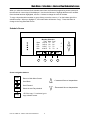
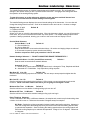
Menu Selection Screen
Pressing the Menu button on the Thermostat Control Screen will go to the Menu Selection screen. This
screen presents a list of the other functions or setup screens that can be selected.
Messages Screen
The TS40 is capable of receiving messages from the RS485 network. Messages received are displayed
in the Messages Screen.
Schedules Screen
This screen is used to setup and select setback schedules for the thermostat.
User Settings Screen
This screen is a submenu of user settings for the initial setup of the thermostat. You can set the clock,
minimized screen timeout, Fahrenheit or Centigrade selection, sensor calibration and display settings.
Thermostat Info Screen
This is a quick reference list of the thermostat firmware versions and setup.
The following describes each Thermostat screen in detail.
DCN: 141-00885-16 1/26/06 TZ40 Thermostat Manual
3