1
DTS-HD Master Audio Suite™,
User Guide
7.2.17
v 2.5
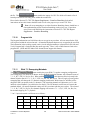
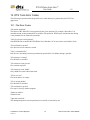
Start Time
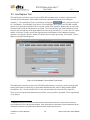
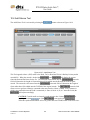
The Start Time input text field allows the user to specify the start time in hours, minutes, seconds, and
frames.
7.2.18
End Time
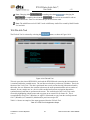
The End Time is read-only field and specifies the end time relative to the Start Time based on the
duration of the input files. The value shown is based on the duration of the shortest used source file
present in the input files section.
7.2.19
Encode From
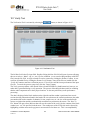
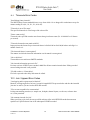
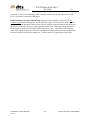
The Encode From input text field allows the user to specify a time interval to encode, constrained by the
start/end time of the source material. This field is active only when the Encode Entire File button is in
This allows the user to create a smaller encode relative to the source file
the off state.
length. The input time must be in hours, minutes, seconds, and frames. Additionally, this input time
must be greater than the start time and less than both the End Time and the Encode To time.
7.2.20
Encode To
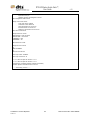
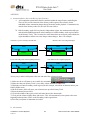
The Encode To input text field allows the user to specify a time interval to encode, constrained by the
start/end time of the source material. This field is active only when the Encode Entire File button is in
This allows the user to create a smaller encode relative to the source file
the off state.
length. The input Encode To time must be in hours, minutes, seconds, and frames. Additionally, this
input time must be greater than the Start Time and greater than the Encode From time but less than the
End Time.
7.2.21
Enable Reference Time
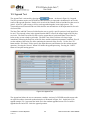
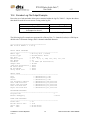
The encoder application supports a mechanism by which two or more encoded files can be losslessly
joined to create a single encoded file while maintaining audio to timecode synchronization. In order for
this to occur, all encoded files that will be joined must have identical reference times (i.e. the DTS
frames from the subsequent streams are aligned relative to the first). The Enable Reference Time feature
provides the user with a method of creating a custom reference time in order to join one file to another
using the Join Tool in the DTS StreamTools Application Suite while maintaining audio to timecode
synchronization.
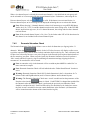
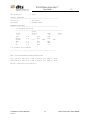
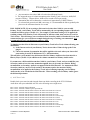
the Reference TC text field
When the Enable Reference TC button is enabled,
becomes active allowing the user to enter a custom reference timecode. The specified Reference TC
value must match the reference time of the encode to which it will be joined. The Join Tool will only
allow encodes to be joined if their reference times are identical. By default, Enable Reference TC is not
activated. Creating encodes without a user specified reference time will render the encodes reference
time equal to its start time. (see Tools section Join Tool for more information on Reference TC).
Reference time is only necessary for Join operations.
Note: If
of the encode.
Confidential - Do NOT Duplicate
17781 v1
is off, then the Reference time of the encode will equal the Start Time
30
DTS Document No.: 9301F55800D