1
Freestyle 610 – Edition 3 – 07.04.06 – 7332
Handset settings
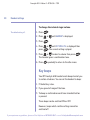
The default setting for all key
beeps is ON.
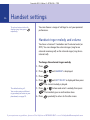
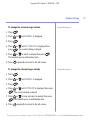
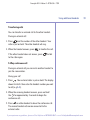
Switch beeps on/off
1. Press
.
2. Press
or
3. Press
confirm.
until HANDSET is displayed.
. Display shows BEEP. Press
4. Press
or
then press
to
to display the type of beeps you want
.
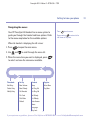
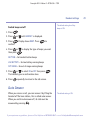
KEYTONE – for handset button beeps
LOW BATTERY – for low battery warning beeps
OUT RANGE – for out of range warning beeps
5. Press
or
to select ON or OFF then press
The handset gives a confirmation tone.
6. Press
.
repeatedly to return to the idle screen.
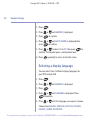
Auto Answer
When you receive a call, you can answer it by lifting the
handset off the base station, this is called auto answer.
When you switch auto answer off, all calls must be
answered by pressing
.
The default setting is ON.
If you experience any problems, please call the Helpline on 0870 605 8047 or email [email protected]
29