1
Basic adjustment settings
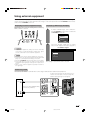
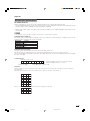
OPC (Optical Picture Control) setting
AV mode selection
AV mode gives you five viewing options to choose from
to best match the system environment, which can vary
due to factors like room-brightness, type of programme
watched or the type of image input from external
equipment.
You can set the TV to automatically adjust the screen
to suitable backlight brightness according to the
lighting conditions.
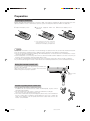
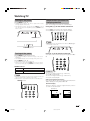
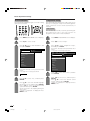
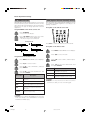
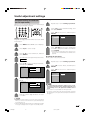
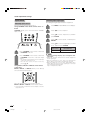
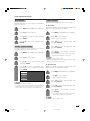
Using OPC on the remote control unit
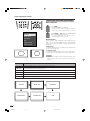
Using AV MODE on the remote control unit
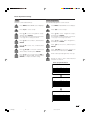
1
Press AV MODE.
• Present AV mode displays.
2
Press AV MODE again before the mode
displayed on the screen disappears.
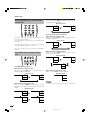
• The mode changes as shown below.
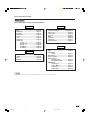
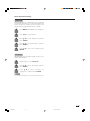
AV input mode
AV Mode: STANDARD
AV Mode: MOVIE
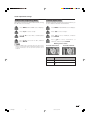
Press OPC to switch the OPC function on and off.
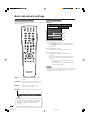
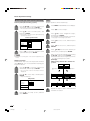
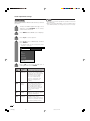
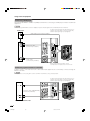
Using OPC on the menu screen
AV Mode: DYNAMIC
AV Mode: GAME
AV Mode: USER (TV)
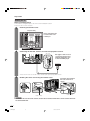
1
Press MENU and the MENU screen displays.
2
Press c/d to select “Picture”.
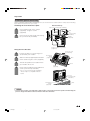
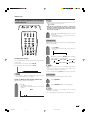
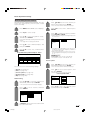
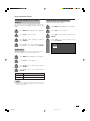
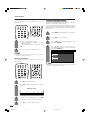
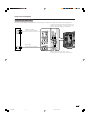
Using AV Mode on the menu screen
1
Press MENU and the MENU screen displays.
3
2
Press c/d to select “Picture”.
4
3
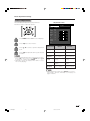
Press a/b to select “AV Mode”, and then
press ENTER.
4
Press a/b to select the desired item, and
then press ENTER.
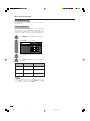
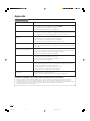
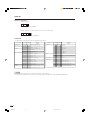
Description
Selected item
STANDARD
For a highly defined image in a normally
bright room
MOVIE
For a movie
GAME
Lowers image brightness for easier viewing.
USER
Allows the user to customise settings as
desired. You can set the mode for each
input source.
DYNAMIC
For a clear-cut image emphasising high
contrast for sports viewing
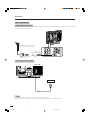
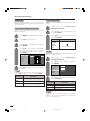
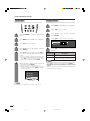
Press a/b to select “OPC”, and then press
ENTER.
Press a/b to select the desired item, and
then press ENTER.
Selected item
Description
Off
The brightness is fixed at the value set in
“Backlight“ (See page 23).
On
Automatically adjusts
On (Display)
Displays the OPC effect on the screen while
adjusting the brightness of the screen.
NOTE
• Make sure no object obstructs the OPC sensor, which
could affect its ability to sense surrounding light.
NOTE
• You can select a different AV MODE item for each input
mode. (For example, select STANDARD for TV input and
DYNAMIC for VIDEO input.)
22
LC-AX5M(E)-d
22
06.7.10, 11:07 AM