1
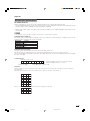
Useful adjustment settings
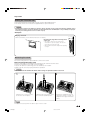
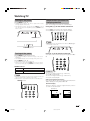
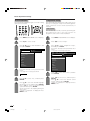
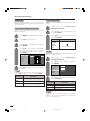
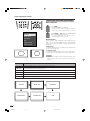
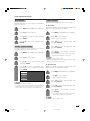
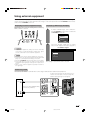
Language setting for on-screen
display
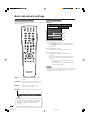
You can also select a language from setup menu.
Select from among 3 languages: English, Chinese and
Arabic.
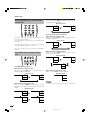
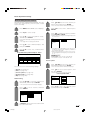
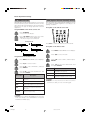
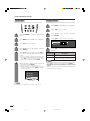
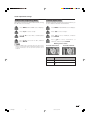
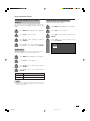
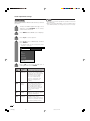
DNR (Digital Noise Reduction)
Produces a clearer video image.
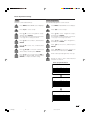
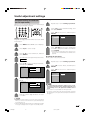
1
Press MENU and the MENU screen displays.
1
Press MENU and the MENU screen displays.
2
Press c/d to select “Option”.
2
Press c/d to select “Setup”.
3
Press a/b to select “DNR”, and then press
ENTER.
3
Press a/b to select “Language”, and then
press ENTER.
4
Press a/b to select the desired level, and
then press ENTER.
4
Press a/b to select the desired language
listed on the screen, and then press ENTER.
Off
High
Low
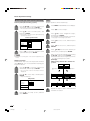
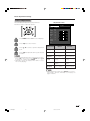
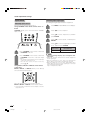
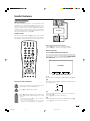
Audio Only
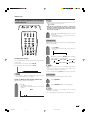
When listening to music from a music programme, you
can set the display off and enjoy audio only.
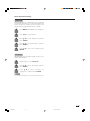
1
Press MENU and the MENU screen displays.
2
Press c/d to select “Option”.
3
Press a/b to select “Audio Only”, and then
press ENTER.
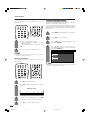
4
Press a/b to select “On”, and then press
ENTER.
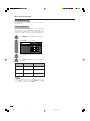
Description
Selected item
On
Audio is output without screen image.
Off
Both screen images and audio are output.
NOTE
• When you make operations that change the picture on the
TV such as by changing the input source, the Audio Only
function is set to “Off”.
31
LC-AX5M(E)-f
31
06.7.10, 11:10 AM