1
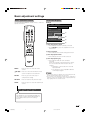
Basic adjustment settings
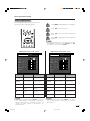
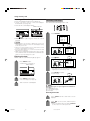
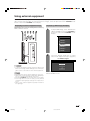
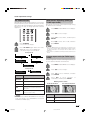
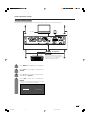
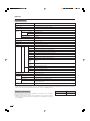
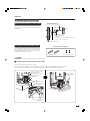
Auto installation
Programme setup
You can run auto installation again, even after setting
up the preset channels.
You can run the auto search procedure again at any
time by accessing the Setup menu and Programme
Setup. Channels can be tuned automatically or
manually.
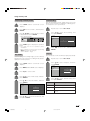
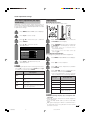
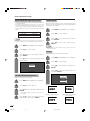
Auto search
You can also automatically search by performing the
procedure below. This is the same function as
programme auto search in auto installation.
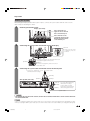
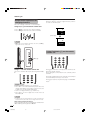
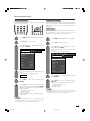
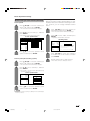
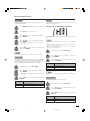
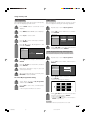
1
Press MENU and the MENU screen displays.
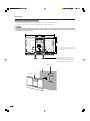
1
Press MENU and the MENU screen displays.
2
Press c/d to select “Setup”.
2
Press c/d to select “Setup”.
3
Press a/b to select “Auto Installation”, and
then press ENTER.
3
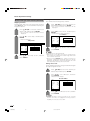
Press a/b to select “Programme Setup”,
and then press ENTER.
If you have already set the password, enter
it here.
MENU
[Setup ... Auto Installation]
Setup
Option
• See page 56 for setting password.
Auto Installation
MENU
Programme Setup
[Setup ... Programme Setup]
Setup
Option
Child Lock
Auto Installation
Speaker Setup
Programme Setup
Position
Child Lock
[On]
WSS
Speaker Setup
[Panorama]
4:3 Mode
Rotate
[Normal]
Language
[English]
Text Language
Position
[On]
WSS
[Panorama]
4:3 Mode
[West Europe]
[Normal]
Rotate
4
Language
If you have already set the password, enter
it here.
Text Language
[English]
[West Europe]
• See page 56 for setting password.
– – – –
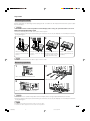
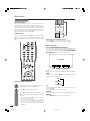
5
6
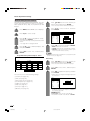
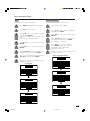
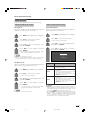
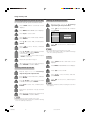
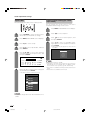
Press c/d to select “Yes”, and then press
ENTER.
Press a/b to select the desired language
listed on the screen, and then press ENTER.
After this setting, auto search starts with the
following order.
1 Programme auto search
2 Auto labelling
3 Auto sorting
You do not need to do anything during the
auto search.
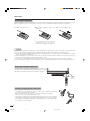
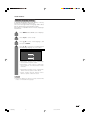
4
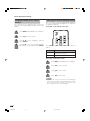
Press a/b to select “Auto Search”, and then
press ENTER.
5
Press c/d to select “Yes”, and then press
ENTER.
• Auto search starts with the following order.
1 Programme auto search
2 Auto labelling
3 Auto sorting
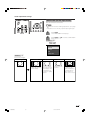
NOTE
• After performing step 5, the menu screen shown in step 3
will reappear. Do not turn off the System before then,
because the System is saving the data found.
NOTE
• After performing step 6, the menu screen shown in step 3
will reappear. Do not turn off the System before then,
because the System is saving the data found.
23
LC-65G5X(E)-c
23
05.10.26, 7:59 AM