1
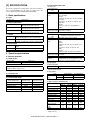
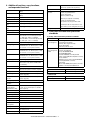
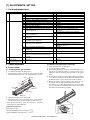
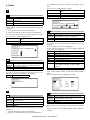
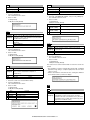
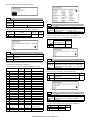
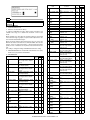
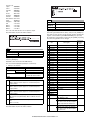
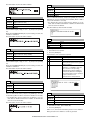
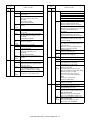
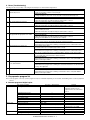
Item
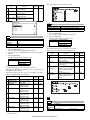
Support OS (Printer
Driver)
Detail
Windows 95/98/Me
Windows NT 4.0 Workstation (SP5 or later)
Windows 2000 Professional
Windows XP Home/Professional Edition
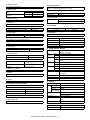
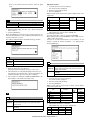
Watermark
Function
Watermark
User setting
Position
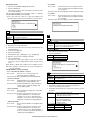
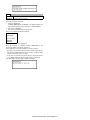
B. Printer driver specification
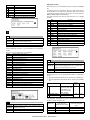
(1) System
Machine
IBM PC/AT
(Include
compatible
machine)
OS
Windows 95/98/Me
Windows NT 4.0 Workstation (SP5 or later)
Windows 2000 Professional
Windows XP Home/Professional Edition
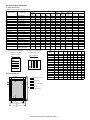
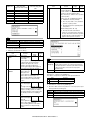
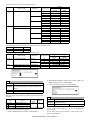
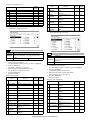
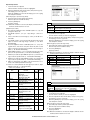
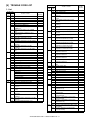
(2) Printing function specification
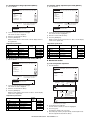
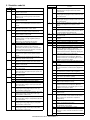
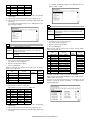
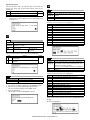
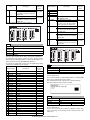
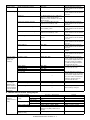
General
Function
Copies
Orientation
Collate
Document Style
Paper Input
N-up printing
N-up Order
N-up Border
User Setting
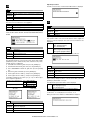
Paper Size
Custom Paper Size
Source Selection
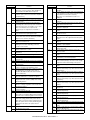
Content
1-999
Portrait
Landscape
Collate
Uncollate
1-Sided, 2-Sided (Book),
2-Sided (Tablet)
2/4
Z
Yes/No
Yes
A3 / B4 / A4 / B5 / A5 / B6 /
A6 / Ledger (11x17) /
Legal (8.5 x 14) /
Foolscap (8.5 x 13) /
Letter (8.5 x 11) /
Invoice (5.5 x 8.5) / Folio /
Executive / COM-10 /
DL / C5 / 8K / 16K
1 size
• Auto
Size
Angle
Gray Scale
Edit Font
On first page only
Configuration Input Trays
Setting
Output Tray Options
Others
Set Tray Status
Version Information
ROPM
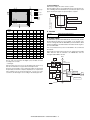
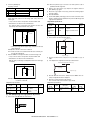
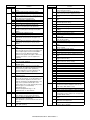
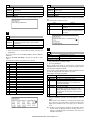
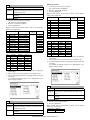
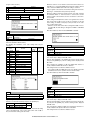
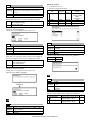
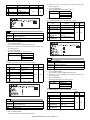
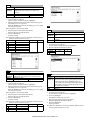
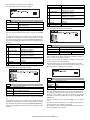
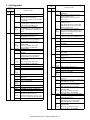
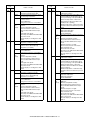
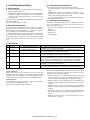
(3) Print quality
Mode
Resolution/Print
quality
Smoothing
Toner Save Mode
Photo Enhancement
2 Gradation print
* Default
• Bypass (Auto)
• Bypass (Manual)
• Tray 1/2/3/4
Tray: Normal paper, letter
head paper, recycle paper,
colored paper
Bypass: Normal paper, letter
head paper, recycle paper,
colored paper, thick paper,
thin paper, label paper, OHP,
postcard, envelope
Transparency print
Yes / No
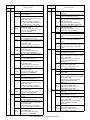
Paper Output Output Tray Selection • Center Tray
• Upper Tray
Paper Type
Graphic
Staple
Print Quality
Smoothing
Toner save
Photo Enhancement
Fit to Page
2 Gradation print
Image Adjustment
Content
(None) / TOP SECRET /
CONFIDENTIAL / DRAFT /
ORIGINAL / COPY
Add / Update / Delete
Center
X: ±50
Y : ±50
6 to 300
±90
0 to 255
Yes
Yes / No
Two / Three / Four trays
None / Upper Tray / Staple
Finisher
Yes
Yes
Yes / No
• Finisher Offset tray
Yes / No
Normal
Draft
Photo
Yes / No
Yes / No
Yes / No
Yes / No
Yes / No
Brightness : 0 to 100
Contrast : 0 to 100
AR-M236/M276/M237/M277 SPECIFICATIONS 3 - 6
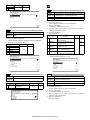
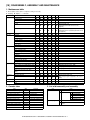
Control
600dpi
(Fixed)
On*
Off
On
Off*
On
Off*
On
Off*
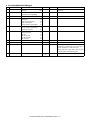
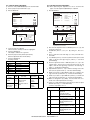
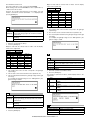
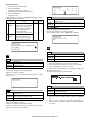
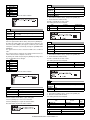
Content
Print quality is selected from
Normal*/Draft/Photo.
Smoothing function is ON.
Smoothing function is OFF.
Toner save function is ON.
Toner save function is OFF.
Photo enhancement function is ON.
Photo enhancement function is
OFF.
2-Gradation print function is ON.
2-Gradation print function is OFF.